A support ticket closure email should do three things: confirm the ticket's status, explain the outcome in plain language, and tell the customer exactly how to get help again if they still need it. It is a small message with a large effect on trust.
Closing a ticket without context can leave customers wondering whether anyone actually understood the problem. A clear closure email prevents that uncertainty, creates a useful record, and gives the conversation a professional finish.
What a Support Ticket Closure Email Should Do
A good closure email confirms that the support case is being closed, summarizes what happened, and gives the customer a clear route to reopen the conversation. It should not read like a cold system alert that merely says, "Ticket closed."
This is the final support interaction for that issue, so it needs to answer the customer's unspoken questions: Was my problem fixed? What did your team do? What should I do if the problem returns? Even when the ticket is closing because the customer did not reply, the message should make the next action obvious.
Be precise about the outcome. If you supplied troubleshooting steps but have not received confirmation that they worked, do not say the issue was resolved. Say the ticket is being closed for now and invite the customer to reply with the requested details if the issue continues.
What to Include in Every Ticket Closure Email
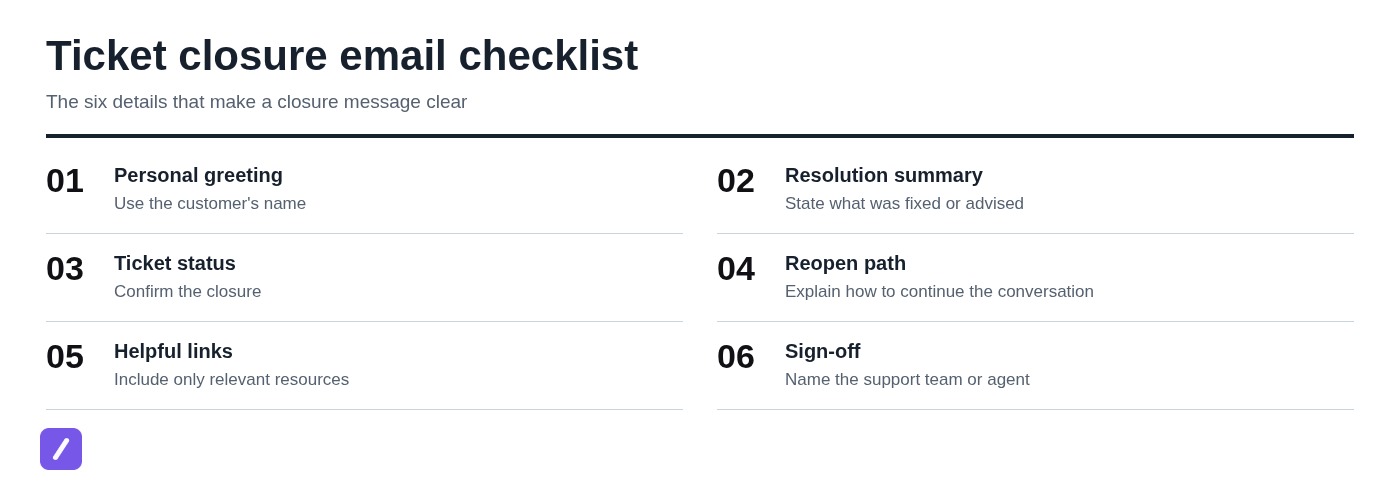
Every support ticket closure email needs enough detail for the customer to understand the decision without reopening old messages. The exact tone may vary, but the core information should remain consistent.
- Personal greeting: Address the customer by name when it is available and appropriate.
- Ticket reference: Include the ticket number or a recognizable subject so the customer can identify the conversation.
- Resolution summary: State what was fixed, changed, recommended, or requested.
- Closure status: Say plainly that the ticket is now closed, or is being closed for the moment.
- Next step: Tell the customer what to do if the problem persists or returns.
- Relevant resources: Add a help article, status page, or correct contact channel only when it genuinely helps.
- Sign-off: Identify the support agent or team so the message feels accountable rather than automated.
Accuracy matters more than polish. Do not mark a ticket as resolved when the real status is "waiting for customer information," "workaround provided," or "known issue under investigation." Those distinctions affect customer expectations and help your team report on support work honestly.
Support Ticket Closure Email Template: Standard Resolved Issue
Use this template when the customer has confirmed the fix or the outcome is otherwise clear and verifiable. The goal is to document the resolution without forcing the customer to decipher a generic closing line.
Subject: Ticket #[Ticket Number] resolved: [Short issue description]
Hi [Customer Name],
We've resolved your request about [issue]. [Briefly explain the fix, change, or action taken.]
Your support ticket #[Ticket Number] is now closed. If you continue to experience the issue or have a related question, reply to this email and include any relevant details or screenshots. We'll be happy to help.
Best,
[Agent Name]
[Support Team]
A specific summary is far more useful than "your issue has been addressed." For example: "We reset the permissions on your account, and you should now be able to export reports from the Analytics page." The customer knows what changed and has a useful reference if the issue recurs.
Template for Closing a Ticket After No Customer Response
Close an inactive ticket only after your team has asked for the information needed to continue and allowed a reasonable response window. The customer should never feel punished for missing an email; the message should simply explain that the case cannot move forward without their input.
Subject: Ticket #[Ticket Number] closed for now: [Short issue description]
Hi [Customer Name],
We have not heard back from you regarding [issue], so we are closing ticket #[Ticket Number] for now.
To continue investigating, please reply to this email with [requested information, such as error message, account email, order number, or steps to reproduce]. Your reply will [reopen the ticket / create a follow-up request through our support process].
We're here if you still need help.
Best,
[Agent Name]
[Support Team]
Do not write "closed due to no response" without context. It sounds accusatory and does not tell the customer what to send next. If your help desk requires a new request after a closure period, say so directly rather than implying that an email reply will reopen something it cannot.
Template for Closing a Ticket With a Workaround or Known Issue
A workaround is not a permanent fix, and your closure email should say that plainly. Customers are usually willing to use a temporary solution when they understand its limits and know whether the underlying issue is still being tracked.
Subject: Update on ticket #[Ticket Number]: workaround for [issue]
Hi [Customer Name],
We have confirmed that [brief description of known issue]. While our team works on a permanent fix, you can use this workaround: [step-by-step workaround].
[Optional: You can follow updates at [status page or documentation link].] We will [notify you when the fix is available / post an update through the linked channel].
For now, we are closing ticket #[Ticket Number]. If the workaround does not resolve the immediate problem or you see different behavior, reply to this email with [relevant details].
Best,
[Agent Name]
[Support Team]
Only promise proactive updates if your support process actually supports them. If customers will need to check a status page or subscribe to a release notice, tell them that instead. False certainty is worse than a carefully stated limitation.

Template for a Request, Duplicate, or Out-of-Scope Ticket
Not every ticket ends with a technical fix. Some are feature requests, duplicates of an existing report, billing questions for another team, or requests that belong in a different support channel. You can close these cases without sounding dismissive by explaining where the customer should go next.
Subject: Update on ticket #[Ticket Number]: [Request or issue description]
Hi [Customer Name],
Thanks for contacting us about [issue or request]. [Choose the applicable statement:]
- We've added your feedback to the existing request for [feature or improvement].
- This appears to be related to ticket #[Canonical Ticket Number], which our team is already tracking.
- This request is handled by [team or channel]. Please contact [correct channel or link] for the fastest help.
We are closing ticket #[Ticket Number] to keep the conversation organized. [Add any useful next step, such as how to follow progress or what information to provide to the correct team.]
Best,
[Agent Name]
[Support Team]
When closing a duplicate, preserve useful details before merging or linking it to the canonical report. A customer's browser version, timestamp, account type, or reproduction steps may help the team diagnose an issue even if the ticket itself is not the primary record.
How to Adjust the Tone Without Losing Clarity
Your closure email should match the situation, but clarity always comes first. A routine password reset can be concise. A billing error, data issue, or long-running outage deserves a more empathetic and careful response.
Apologize when the customer experienced a real inconvenience or when your product or process caused the problem. Thank them when they provided useful details, waited patiently, or reported a defect. Avoid automatic apologies and overly cheerful language around serious issues; "Great news!" can sound tone-deaf after a customer has lost work or spent days waiting for help.
Also avoid internal jargon. Customers do not need to know that a ticket was "triaged," "deprioritized," or "moved to backlog" unless you explain what that means for them.
Vague: "Your issue has been addressed, and we are closing this ticket."
Clear: "We corrected the billing address on your subscription and confirmed that your next invoice will use the updated details. Ticket #[Ticket Number] is now closed. Reply here if the next invoice still shows the old address."
The second version states the action, sets an expectation, and gives the customer a reason to return only if the problem persists.
Set a Clear Reopen Policy Before You Send
Customers need to know whether replying to a closure email reopens the ticket, whether there is a time limit, and what details to include if the issue continues. Do not leave those rules vague or let individual agents invent them in the moment.
For example, your policy may be that replies reopen tickets for 14 days, while later replies create a new case. Or your help desk may always create a new ticket from a reply. Either approach can work, but the email language must match the actual workflow.
Closing a conversation is not the same as deleting its history. Retain the ticket trail so agents can see prior troubleshooting, customer context, and promises made. That continuity prevents customers from having to repeat themselves if the issue returns.
Before standardizing templates, align support, operations, and any escalation teams on what "resolved," "closed," "known issue," and "waiting on customer" mean in practice. Consistent wording is only helpful when it reflects consistent service policy.
Make Closure Templates Fast to Reuse Without Sounding Robotic
The best approach is to save reusable building blocks, not send the same untouched paragraph to every customer. Keep approved snippets for reopening instructions, known-issue language, no-response closures, and sign-offs, then personalize the greeting, issue summary, action taken, and next step.
A text expander such as SnipFlux can help agents insert approved closure-email starting points with shortcuts in Chrome, macOS, and Windows. That means a team can keep its wording consistent while continuing to work inside its existing help desk, email client, or browser-based support tool.
For example, an agent might expand a shortcut for a no-response closure, then replace the placeholders with the customer's name, the missing diagnostic details, and the correct reopen instruction. The template saves time; the final review keeps it accurate.
Always review names, ticket numbers, links, product details, and any promise about timing before sending. A fast template becomes a liability if it carries over the wrong customer's information or claims a fix date the team has not committed to.
Text expansion handles repeated writing, while your help desk remains responsible for ticket status, routing, and customer records.
SnipFlux
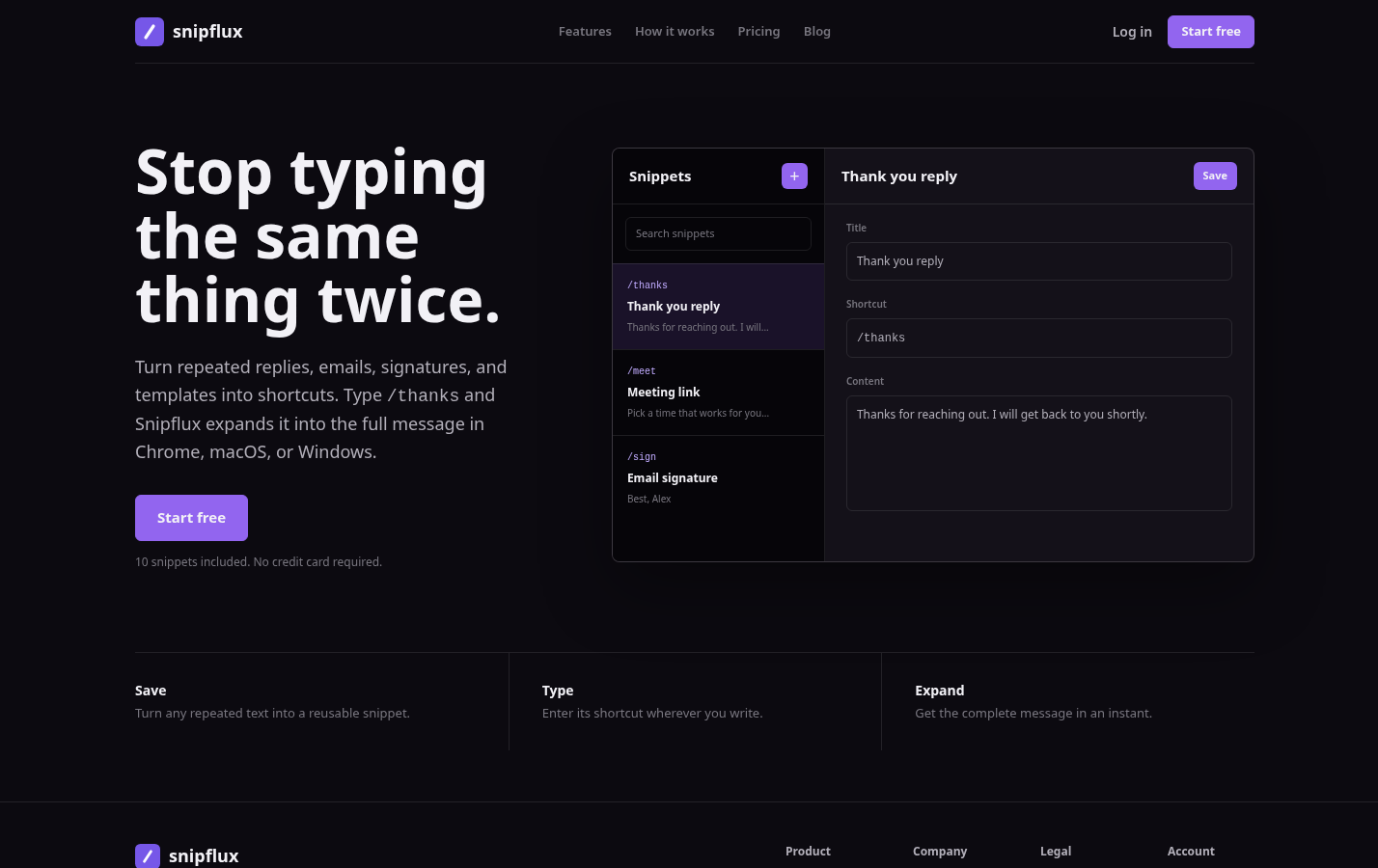
SnipFlux is best for teams and individuals who repeatedly type approved support language and want it available through memorable shortcuts. You can save complete closure templates, shorter reopening instructions, standard sign-offs, and common troubleshooting notes, then organize them into a reusable library.
Its main limitation is also an important distinction: it is a text expander and snippet manager, not a help desk. It will not replace ticket routing, customer records, service-level reporting, or workflow automation in your support platform. Choose it when your pain point is repetitive writing across the tools you already use.
Close Tickets With a Clear Next Step
A strong support ticket closure email states the outcome plainly, avoids overstating what was fixed, and gives the customer an easy path back to help. Templates make that standard easier to maintain, but they should guide agent judgment rather than replace it.
Teams that repeatedly write closure messages can organize reusable, approved snippets in SnipFlux, then personalize the details that make each final reply useful to the customer.