A proposal follow-up email should be brief, specific, and sent at the right time: usually 3-5 business days after you send the proposal, or on the agreed decision date. The goal is not to chase a prospect. It is to make it easy for them to tell you what happens next.
A good follow-up acknowledges that people get busy, reminds them of the relevant proposal, and asks one simple question. The templates below give you a professional starting point for every common situation.
When to send a proposal follow-up email
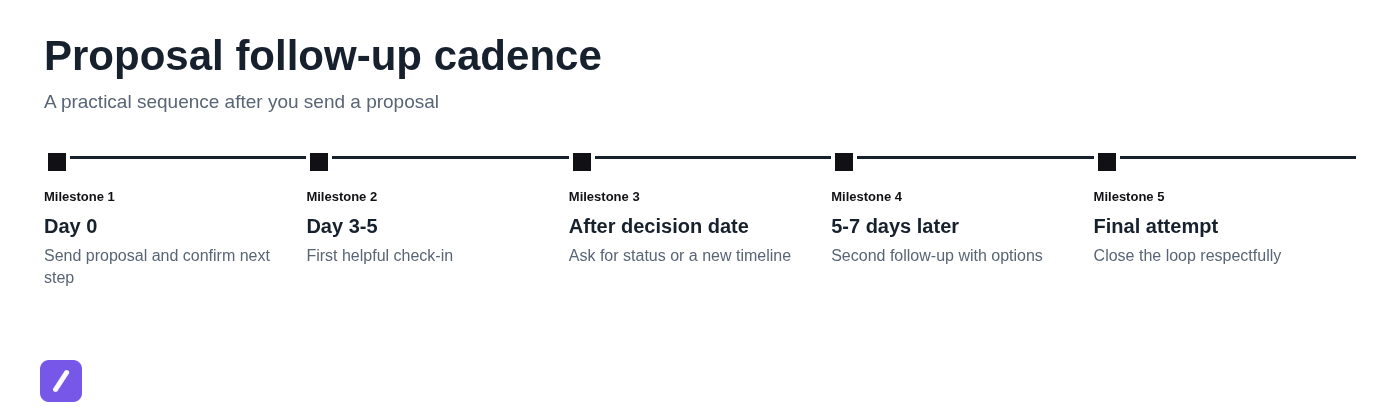
Send your first proposal follow-up 3-5 business days after delivery if you did not agree on a decision date. If the prospect gave you a timeline, follow up on that date or the next business day instead.
That timing is a guideline, not a rigid sales rule. A straightforward service proposal may merit a check-in after three days, while a large project involving legal review, procurement, or several stakeholders may need a week or more. Pay attention to what the buyer told you about their process.
The best time to follow up is often established before you send the proposal. Close your proposal email with a practical question such as, "Would it be helpful if I checked in next Thursday after your team has reviewed the options?" That gives both sides a shared expectation and removes the awkwardness from your next message.
What makes a follow-up feel helpful instead of pushy
A helpful follow-up has four parts: a clear subject line, brief context, one low-friction question, and a useful next step. It should read like a professional making a decision easier, not someone demanding attention.
Assume the recipient is busy before assuming they are uninterested. Avoid phrases that create guilt, such as "I have not heard back from you," or artificial pressure such as "This offer expires today" when no real deadline exists. Likewise, "just checking in" is vague and gives the recipient little reason to respond.
Instead, connect your message to the work already discussed. Mention the proposal topic, the timing, or a pending choice. Then ask whether they need clarification, want a revision, or have a revised timeline.
For example, rather than writing, "Just following up on my proposal," write, "Following up on the customer onboarding proposal I sent Tuesday. Does the current scope align with your Q4 rollout plan, or would it be useful to revise it before your review?"
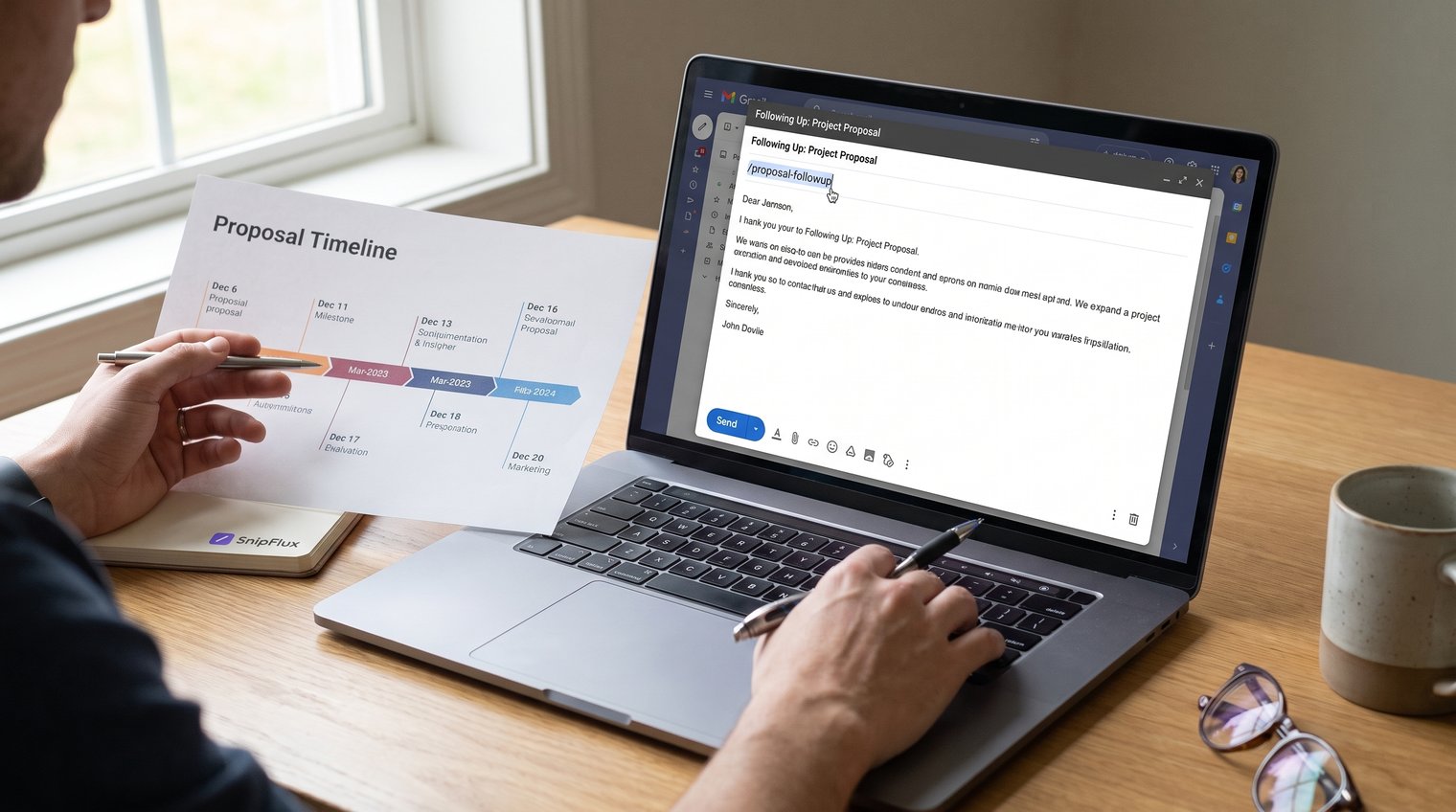
Simple proposal follow-up email template after no response
When there has been no response, keep your message calm and easy to answer. Restate what you sent, recognize the recipient's schedule, and offer a clear next step.
Template: first follow-up after sending a proposal
Subject: Follow-up on the [proposal topic] proposal
Hi [Name],
I wanted to follow up on the [proposal topic] proposal I sent on [date]. I know you may still be reviewing it with your team, so I wanted to see whether any questions have come up around the scope, timeline, or pricing.
Would it be helpful to schedule a short call this week, or would you prefer that I check back after [specific date]?
Best,
[Your name]
Customize more than the recipient's name. Reference the actual service, project goal, or decision they are considering. If you discussed a concern about implementation time, budget approval, or a launch date, mention it in one sentence. That small detail makes a simple proposal follow-up email template sound like a continuation of a real conversation.
Proposal follow-up email templates for common situations
Not every prospect goes quiet for the same reason. Choose a template based on the actual stage of the conversation instead of sending a slightly revised version of the same check-in every few days.
After an agreed decision date passes
If a prospect committed to a decision date, you can be more direct. Referencing the timeline is appropriate because it was mutually established, not imposed by you.
Subject: Next steps for the [project name] proposal
Hi [Name],
When we spoke, you expected to make a decision on [date], so I wanted to check on the status of the [project name] proposal.
Is the project still moving forward on the original timeline? If the decision process has shifted, I am happy to work around a revised date or set up a brief call to address anything still under review.
Best,
[Your name]
This approach gives the prospect room to update you without feeling cornered. It also helps you distinguish between a delayed decision and a stalled project.
When the prospect has questions or needs internal approval
When internal approval is the obstacle, help the contact advocate for your proposal. Do not resend the entire document unless they ask for it; offer the exact material that will make their next conversation easier.
Subject: Support for your [project name] review
Hi [Name],
Thanks again for the questions about [specific issue]. As your team reviews the [project name] proposal, I can provide a short summary of the scope, expected outcomes, timeline, and investment that you can share internally.
Would a one-page overview be helpful, or is there a particular question I can clarify for the decision-makers?
Best,
[Your name]
This works especially well when your main contact is not the final approver. Give them language and evidence they can forward, rather than asking them to reconstruct the value of your proposal on your behalf.
When you need to follow up a second time
A second follow-up should be shorter and should make it easy to close the loop. At this point, a respectful choice often earns more replies than another open-ended request for an update.
Subject: Should we move forward with [project name]?
Hi [Name],
I wanted to close the loop on the [project name] proposal. Is the best next step to move forward, revise the scope, or reconnect at a later date?
If the project is no longer a priority, no problem at all. A quick update will help me plan accordingly.
Best,
[Your name]
An opt-out is not a weakness. It signals respect for the prospect's time and gives them a low-effort way to reply honestly. Even a "not this quarter" response is more useful than an indefinitely open thread.
When you are sending a final follow-up
A final follow-up is appropriate after reasonable prior attempts, not after one unanswered email. Use it to close your active outreach while leaving the relationship intact.
Subject: Closing the loop on the [project name] proposal
Hi [Name],
I have not been able to connect with you about the [project name] proposal, so I will close out this thread for now.
If the project becomes a priority again, I would be glad to revisit the proposal and update it based on your current needs. Thank you for considering us.
Best,
[Your name]
Do not add frustration, sarcasm, or a final threat about disappearing availability. A professional final message protects your reputation and leaves the door open if circumstances change.
How to personalize the template for better replies
Personalization is not adding a first name to a generic email. It means showing that you understand what the recipient is deciding and making your message relevant to that decision.
Replace broad phrases with details from the proposal conversation: the business goal, the scope discussed, the decision deadline, or one likely concern. For example, "I wanted to follow up" becomes "I am checking in before your team finalizes the April implementation plan." That gives the email a reason to exist.
Other professional alternatives include:
- "Following up on the [project] proposal we discussed last week."
- "Checking whether your team has had a chance to review the proposed scope."
- "Reaching out ahead of your [date] planning meeting."
- "I wanted to see whether the pricing and timeline still fit your current priorities."
- "Please let me know if a revised scope would help with your review."
Use a concrete reason to reply
The most effective follow-ups ask one question that is easy to answer. Scope, budget, timing, and stakeholder alignment are usually the right areas because they are where proposals most often pause.
Try questions such as, "Is the proposed timeline still workable?" or "Would adjusting the phased rollout help fit the current budget?" A prospect can answer either question in one sentence.
Do not combine several unrelated asks. Asking for feedback, a meeting, a budget range, internal contacts, and a decision in one email creates work for the recipient. Pick the most important next step and leave the rest for the reply or follow-up call.
Make the next step easy to choose
Offering two or three paths turns a vague decision into a manageable response. The recipient should not need to draft a detailed explanation before they can reply.
For instance, you might write: "Would you prefer to approve the current proposal, schedule a 15-minute review call, revise the scope, or revisit this next quarter?" Those options are helpful because each one moves the conversation forward without presuming the answer.
Keep the choices realistic. Do not present "move forward" as the only acceptable outcome, and do not use overly broad language like "Let me know your thoughts." Specific options create less pressure, not more, because they reduce the effort of responding.
Subject lines for a proposal follow-up email
Subject lines should prioritize clarity and continuity. A recipient should immediately recognize the proposal and understand why you are writing.
- First follow-up: Follow-up on the [project name] proposal
- First follow-up: Questions on the [service] proposal?
- Post-deadline check-in: Next steps for [project name]
- Post-deadline check-in: Update on your [project name] decision
- Second follow-up: Should we revise the [project name] scope?
- Final message: Closing the loop on the [project name] proposal
Avoid click-oriented subject lines such as "Quick question" or "Bumping this." They obscure the context and can sound transactional. If you are replying within the original proposal thread, keeping the existing subject line is often the clearest choice.
Common proposal follow-up mistakes to avoid
Even a strong proposal can lose momentum when the follow-up creates friction. These mistakes are easy to correct.
- Sending daily reminders: Give the prospect a reasonable review window. Follow the agreed timeline, or wait several business days between messages.
- Writing vague check-ins: Replace "just checking in" with a specific reference to the project, proposal, or decision point.
- Using fake urgency: Only mention a deadline when it is real and relevant, such as a scheduled launch, resource availability, or a proposal validity date.
- Repeating the entire proposal: Keep the follow-up short. Summarize one relevant point or offer an answer to an anticipated question instead of pasting a long recap.
- Demanding a decision too early: If questions remain about budget, scope, or approval, address those first. A buyer cannot reasonably approve a proposal they still do not understand.
- Making the email about your pipeline: "I need an answer for my forecast" may be true, but it is not a compelling reason for the prospect to act. Focus on their timeline and their decision.
Save your best follow-up templates for consistent outreach
The practical approach is simple: follow up at an appropriate time, add relevant context, ask one clear question, and offer an easy next step. A thoughtful message is more likely to get a reply than a longer or more persistent one.
Once you have templates that fit your sales process, save them for reuse rather than rewriting them from scratch. A canned response software workflow or text snippet manager can keep approved messages available without preventing you from personalizing each email. SnipFlux lets you keep approved proposal follow-up templates behind memorable shortcuts, then personalize them quickly in supported writing fields across Chrome, macOS, and Windows. That helps individuals and teams stay consistent while still making every prospect email feel specific.