
Retiring outdated text snippets safely matters because old text does not become harmless just because it is rarely used. A forgotten support reply can contain an expired return policy; an old sales follow-up can point to a dead booking link; a signature can carry branding that has not been approved for months.
Decide which snippets should be retired, revised, or kept
Start with an audit, not a mass deletion. Review snippets against clear retirement triggers: outdated facts, expired offers, changed policies, duplicate copy, broken links, obsolete branding, or language that no longer meets your compliance standard. Age is useful context, but it is not a decision rule by itself.
Put the most effort into high-risk, customer-facing text. A personal shortcut for a meeting agenda is not the same as a shared reply about refunds, security, pricing, or product availability. Review effort should match the potential cost of sending the wrong message.
Use a simple retirement decision matrix
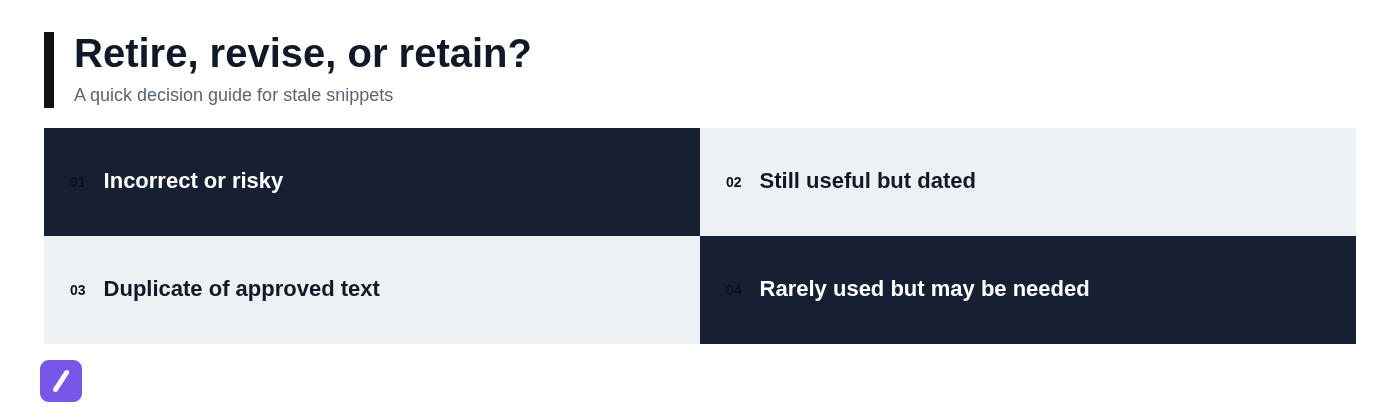
Give every candidate snippet one outcome: keep, update, merge, archive, or delete. This prevents the common cleanup mistake of treating every old snippet as disposable.
- Keep: The text is accurate, approved, easy to find, and still serves a real workflow.
- Update: The purpose remains valid, but facts, wording, links, or formatting need correction.
- Merge: Two or more snippets do the same job. Retain the strongest approved version and direct users to it.
- Archive: The text is no longer routine, but may be needed for audit, historical reference, or a rare exception.
- Delete: The content is incorrect, risky, duplicated elsewhere, or has no credible future use.
Do not immediately remove a snippet just because it has active usage and outdated wording. That combination means people depend on it, which makes a replacement and transition plan essential.
Inventory snippets and identify who depends on them
You cannot retire outdated text snippets safely if you do not know what exists or where people use it. Build one inventory that includes the shortcut, full text, folder or label, owner, intended audience, last review date, and the systems or situations where it is used.
Prioritize shared snippets used for support replies, sales outreach, policy messaging, onboarding, operations instructions, and company signatures. These are often copied into many workflows and can create inconsistent customer experiences when they drift out of date.
Usage data is helpful when available, but it should not be your only signal. Search the shared workspace, ask team leads which replies they rely on, and check browser-based saved replies, email templates, help-center articles, onboarding documents, and internal playbooks. A snippet may be rarely expanded while still being business-critical during escalations or seasonal campaigns.
Find hidden dependencies before removing a shortcut
Before disabling a shortcut, search for its name and abbreviation in documentation and training material. Look in new-hire guides, macros, saved reply collections, canned email templates, CRM notes, and team runbooks. If a playbook says "use /refund-update," removing that shortcut without updating the playbook creates confusion immediately.
Also watch for shortcut collisions. When a shared abbreviation disappears, people often solve the problem by creating their own replacement. That may seem efficient, but it fragments approved messaging across personal libraries. Publish the replacement first and make its shortcut easy to remember.
Protect workflow continuity with replacements and redirects
For every retired snippet that people still use, prepare approved replacement text before you disable the old version. The goal is not merely to remove inaccurate wording. The goal is to preserve the speed that made the snippet useful in the first place.
Keep shortcut changes predictable. If the message's purpose is unchanged, retaining the existing shortcut is usually the best option. For example, if /shipping-delay needs only a revised delivery estimate and updated help link, update its contents while keeping the shortcut intact.
When the old text has become materially wrong, use a new shortcut with an obvious name, such as /returns-policy-2026 or /enterprise-followup. During a short transition period, the old snippet can expand to a brief notice directing the user to the approved replacement. Do not leave that notice active indefinitely; it is a bridge, not a permanent workflow.
Choose between in-place updates and new versioned snippets
Update a snippet in place when the meaning and approval status remain stable. Small edits such as a revised URL, updated team name, corrected date, or a clearer sentence generally belong in the existing snippet.
Create a new version when the purpose, audience, policy status, or required variables change. A general customer follow-up should not quietly become an escalation notice, and a marketing email should not be repurposed into a compliance-approved service message under the same shortcut.
Use visible naming rules so people can identify current text during a search. Status prefixes and dates work well when used sparingly: [Current] Returns response, [Archive] Holiday delivery notice 2025, or [Review] Partner pricing reply. The best naming convention is one your team will actually follow.
Organize the surviving library with folders, labels, and ownership
A cleanup only lasts when the active library is easier to use than the old one. If people cannot find approved text quickly, they will save personal copies, revive archived language, or write from scratch under pressure.
Organize folders by the way people work, usually by function or team. Use labels to show status and sensitivity, then assign a person who is accountable for keeping each shared collection current. For additional guidance, see how to organize copy paste templates into reusable snippets. This gives users a practical path to the right snippet without forcing them through an elaborate taxonomy.
In a shared library such as SnipFlux, folders and labels can make reusable text easier to browse or search while helping teams distinguish active snippets from text that is pending review or no longer intended for routine use. A text snippet manager can also provide a useful framework for evaluating how the library is maintained.
A practical folder and label structure
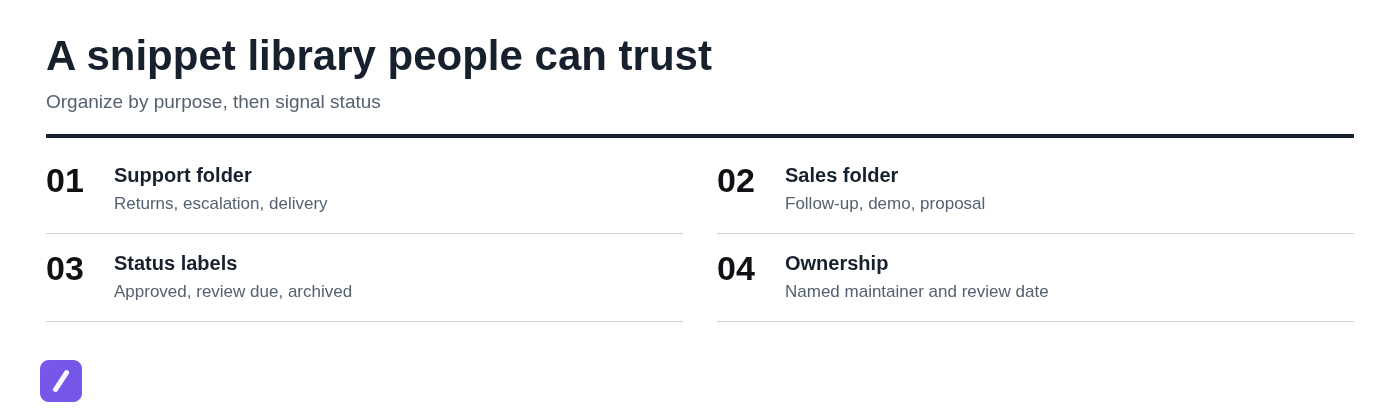
For many teams, four top-level folders are enough:
- Support: returns, delivery updates, troubleshooting, escalation, account access.
- Sales: follow-ups, demo confirmations, proposal notes, qualification questions.
- Operations: vendor instructions, onboarding steps, internal requests, handoffs.
- Personal: individual signatures, frequently used links, meeting templates, routine notes.
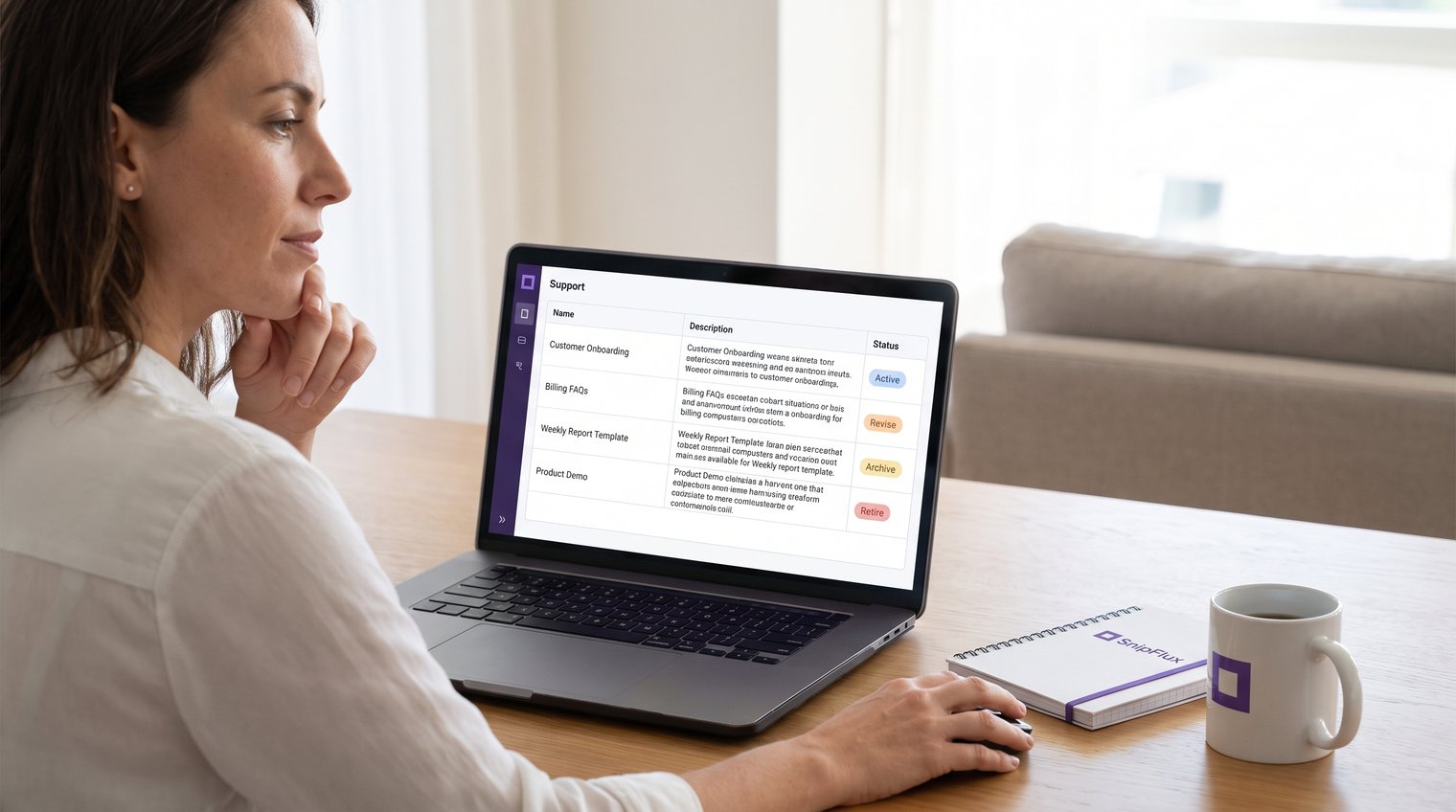
Add status labels that answer the questions users ask in real work: approved, review-quarterly, policy-sensitive, replacement-available, and archived. Each shared folder should also have a named maintainer and a visible next review date.
Keep archived text separate from everyday search and expansion choices whenever possible. Archive access should remain available for audit or recovery, but not be so prominent that someone accidentally sends an old policy response to a customer.
Archive safely instead of permanently deleting by default
Permanent deletion is appropriate for obvious duplicates, broken drafts, and content that should not be retained. For shared workflows, however, archiving is usually the safer default until the transition has proved successful.
Set an archive period that fits the risk of the content. A superseded campaign message might need only 30 to 60 days of retention. Policy, legal, security, or customer-commitment text may need a longer period based on your organization's requirements.
Every archived snippet should carry enough context to be understandable later: why it was retired, what replaced it, who approved the change, the retirement date, and the planned purge date. An archive without this information becomes another pile of unexplained text.
Archiving does not mean leaving a snippet available for routine expansion. Preserve it for reference while removing it from the path of normal customer communication.
Handle sensitive and policy-controlled text carefully
Some snippets need approval beyond the person who manages the library. Refund language, privacy statements, contract terms, security guidance, regulated claims, and pricing commitments may require review from legal, compliance, security, or the policy owner before replacement or retirement.
Do not preserve stale credentials, private customer information, access instructions, or unapproved promises in a broadly accessible archive. Remove sensitive material from shared text where possible, and follow your organization's retention and access-control rules for anything that must be kept.
Test replacement snippets before releasing them to the team
Replacement snippets are workflow changes, not just copy edits. Test them in the actual places where people will use them: support platforms, email clients, CRM fields, browser forms, internal tools, and chat applications.
Start with the basics. Confirm the wording is current, links work, formatting survives expansion, and placeholders are unmistakable. A template that says "Hi [Name]" is safer than one with a forgotten real name, and a pricing reply should make required fields impossible to overlook.
Then test the conditions that commonly break snippets: rich-text fields, plain-text forms, different browsers, mobile workflows, and messages containing variables or multiple links. A snippet that looks correct in the library can still produce awkward spacing, stripped formatting, or a broken URL in its destination app.
For high-volume or high-stakes text, use a small pilot group before broad release. Choose people who work in the affected workflow every day, not only the snippet owner.
Run a short team acceptance checklist
- Confirm the shortcut does not conflict with an existing abbreviation.
- Verify that the output is accurate, approved, and formatted correctly in the destination field.
- Check that every link, variable, and placeholder works as intended.
- Confirm that the instructions surrounding the snippet still match the real workflow.
- Ask pilot users whether they can find and use the replacement faster than the retired version.
A common mistake is testing only the text itself. The correct test includes the shortcut, the destination application, and the person who must use it under normal working conditions.

Communicate the change so people stop using old text
Even the best replacement fails if the people who rely on the old text never hear about it. Announce what changed, why it changed, which shortcuts or snippet names are affected, and where the approved replacement now lives.
Target the announcement to teams that actually use the snippet. A support team needs a direct message about changed response text; a workspace-wide announcement is often too vague and too easy to miss. Include a short transition window and a clear feedback route for users who uncover a missing scenario.
Write a useful deprecation notice
A useful notice is brief enough to read during work. Include the old shortcut or snippet name, the retirement date, the replacement location or shortcut, the required action, and the owner to contact.
For example: "The /trial-extension reply retires on October 15. Use /trial-options for current approved wording. Questions or missing cases: contact the Support Operations owner."
Do not bury a critical change in a long changelog. If using old wording could create a customer or compliance problem, make the replacement instruction visible where users work.
Monitor adoption and resolve exceptions after retirement
The first days after retirement reveal whether your inventory was complete. Review available usage signals and collect feedback from the affected team. If people are not adopting the new snippet, identify the reason before assuming they are resisting change.
Most problems are practical: the replacement is hard to find, the shortcut is forgettable, a variable is missing, or a rare but valid scenario was not covered. Fix those gaps rather than restoring outdated text by default.
When an exception is justified, create a separate snippet with its own purpose, owner, and review date. Do not turn one exception into an excuse to bring back an unmanaged collection of old variants.
Set a recurring review cadence to prevent snippet sprawl
Retiring snippets is not a one-time cleanup project. Without a review rhythm, even a well-organized library will gradually fill with obsolete links, old campaign language, duplicate replies, and forgotten drafts.
Set review frequency according to risk and volatility. Campaign copy may need monthly review, product and policy messaging may need review after every relevant change, and stable internal templates may only need quarterly or semiannual checks.
Make ownership, the next review date, and retirement criteria part of every shared snippet record. Trigger reviews when product releases, branding updates, policy changes, campaign end dates, or process changes occur, not only when a calendar reminder arrives.
Keep your active snippet library reliable
A reliable snippet library is built through controlled transitions: classify the text, map dependencies, prepare replacements, organize what remains, archive safely, test in real workflows, communicate clearly, and monitor adoption.
That process protects both speed and accuracy. Mass deletion may make a library look tidy for a day, but planned retirement ensures people still have approved text ready when they need it.
For teams that need shared reusable text across Chrome, macOS, and Windows, SnipFlux can help keep shortcuts, folders, labels, and shared snippet libraries organized as old text is reviewed and replaced.