Most copy paste templates fail for a simple reason: they are saved as random fragments in old emails, notes, chat threads, and bookmarks. They may be useful, but they are not reliable when you need an accurate reply in 30 seconds.
A better approach is to turn repeated writing into an organized snippet library. A text snippet manager can help keep those messages, links, instructions, and formats accessible. The goal is not to save every sentence you have ever written. It is to keep the content you use often enough that rebuilding it from scratch is a waste of time.
Start with a template audit, not a blank folder
Before creating folders or shortcuts, look for the wording you already repeat. Copy paste templates become genuinely reusable when they are based on real situations: answering the same customer question, sending a meeting follow-up, sharing onboarding instructions, or adding a signature to an email.
The basic process is straightforward: copy the saved text, paste it into the message or field where you need it, and replace any clearly marked variables before sending. A text expander streamlines that process by inserting the full template from a shortcut, but the template still needs to be written for reuse. If you are comparing workflows, see text replacers and reusable snippets.
Do not confuse reusable text snippets with every other thing called a template. A downloadable resume design, printable planner, label sheet, game layout, or social graphic may need a specific file or platform-native duplication process. Save text when the value is in the words; save a link and instructions when the value is in the layout or asset.
Find the messages you repeat every week
Spend 15 to 20 minutes reviewing sent email, support replies, direct messages, CRM notes, calendar descriptions, and internal chat. Search for phrases you recognize yourself typing repeatedly, such as "Thanks for reaching out," "Here is the link," or "Could you send a screenshot?"
Start with high-frequency, low-variation content:
- Acknowledgments and receipt confirmations
- Meeting follow-ups and scheduling links
- Frequently asked support responses
- Sales follow-ups and product overviews
- Email signatures and standard introductions
- Internal handoff notes and availability updates
Prioritize messages that are both common and stable. A reply you send five times a week is a better first snippet than a long proposal you revise once a quarter.
Separate text snippets from visual and file-based templates
A plain-text snippet works well for sentences, links, instructions, formatted lists, names, and Unicode symbols. It is not a replacement for a resume layout, an Avery label design, a WordPress pattern, a Notion database, or a Discord server structure.
For those assets, keep the original file or platform template in its proper location. Then create a short reusable snippet containing the asset name, a direct link if available, and any setup instructions. That gives you fast access without pretending that pasting text can recreate a structured layout.
Choose a simple structure for your reusable snippet library
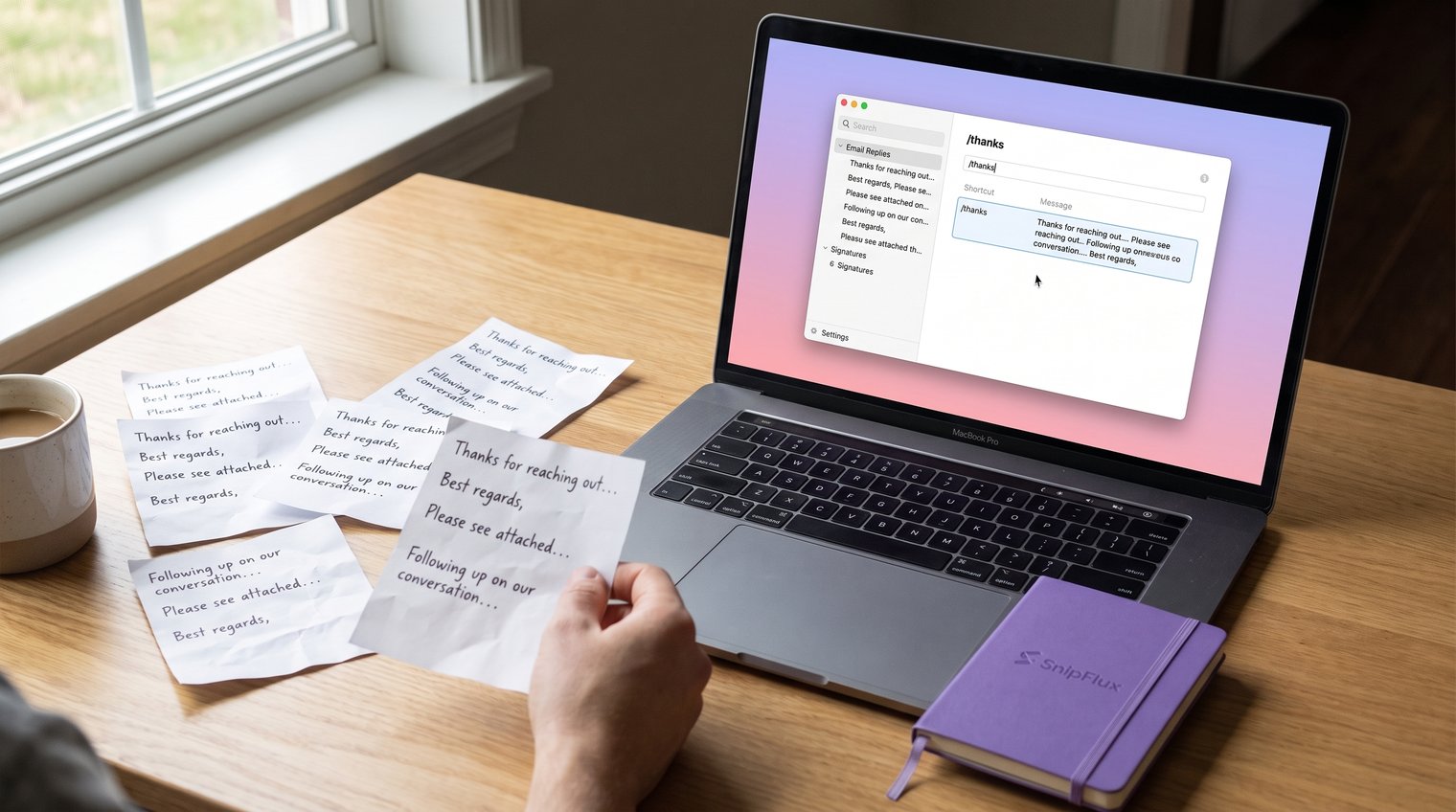
The best organization system is one you can use while busy. Organize templates by where they are used, who owns them, and what kind of variation they need. Avoid a deep maze of folders that makes finding a reply slower than searching old email.
Use categories that match where the text is used
Use a small set of top-level categories that mirror your day-to-day work. For most individuals or teams, the following structure is enough:
- Email: follow-ups, signatures, introductions, declines
- Customer Support: troubleshooting, updates, refunds, escalation notes
- Sales: outreach, demos, objections, next steps
- Social: bios, captions, replies, profile details
- Internal: project updates, handoffs, meeting notes
- Personal: address formats, commonly shared links, household messages
- Profiles: pronouns, name styles, contact details, community introductions
Keep categories shallow. If a template requires opening four folders to find it, the structure is working against you.
Add a naming convention that makes search reliable
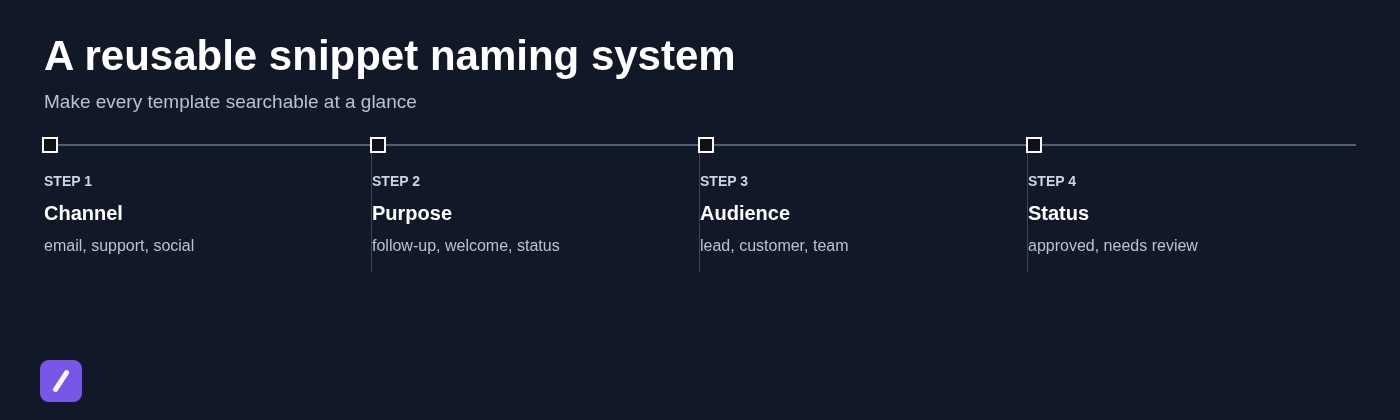
Shortcuts are useful when you remember them. Searchable names matter when you do not. Name templates with their channel and purpose first, then add the audience or scenario when needed.
For example, use names such as email-followup-project, support-refund-status, sales-demo-confirmation, or social-bio-pronouns. A descriptive name lets you search "refund," "demo," or "pronouns" and find the right text quickly.
Write templates with fields that are safe to reuse
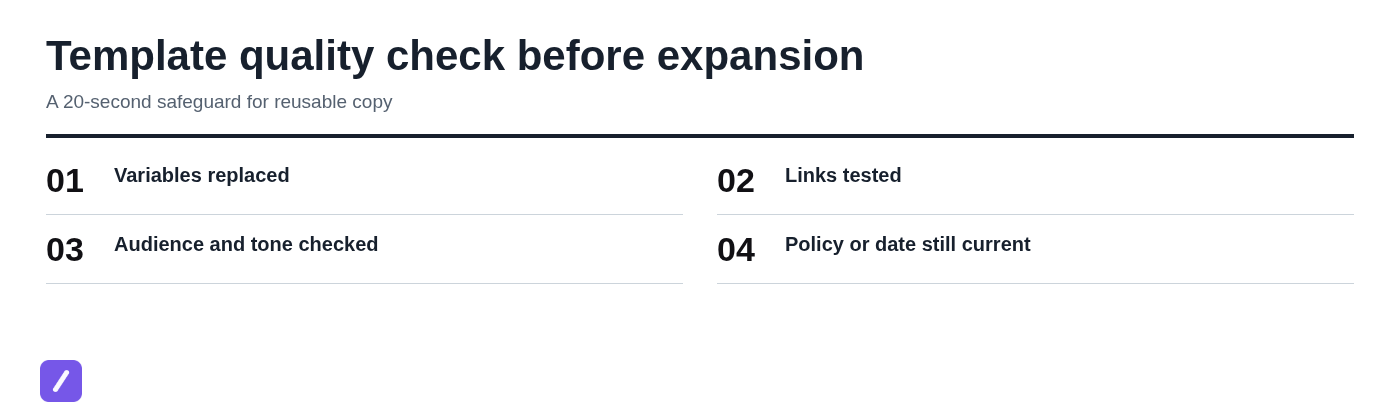
The biggest risk of copy paste templates is not sounding repetitive. It is sending an old name, outdated date, broken link, or promise that does not apply to the current recipient.
Build every reusable template around the details that stay the same, then make changing details impossible to miss.
Use unmistakable placeholders for details that change
Use one consistent placeholder style, such as {{FirstName}}, {{Company}}, {{Date}}, {{Link}}, and {{Owner}}. Braces are easy to spot in a finished message and unlikely to be mistaken for normal prose.
Here is a weak version of a follow-up:
Hi Sarah, just following up on the proposal I sent last Tuesday. Let me know if you have any questions.
That message is too specific to reuse safely. Convert it into a snippet like this:
Hi {{FirstName}},
I'm following up on the {{ProjectOrProposal}} I sent on {{Date}}. If questions come up, reply here or book a time with {{Owner}}: {{Link}}.
Best,
{{SenderName}}
Before expanding the template, know which fields you will replace. After expansion, scan for every pair of braces before you send.
Keep approved language separate from optional variations
Do not turn one template into a 500-word menu of alternatives. If a customer-facing response needs a different tone, policy, or audience, create a separate snippet. For example, keep support-delay-update separate from support-delay-apology if the wording has different approval requirements.
Pricing, legal claims, availability promises, and compliance-sensitive language deserve extra care. Treat those snippets as approved copy with an owner and review date, not as casual boilerplate anyone can edit.
Create shortcuts that are fast but hard to trigger by accident
A shortcut should be easy to recall but uncommon enough that it does not expand in ordinary writing. The best default is a punctuation prefix followed by a category abbreviation and a clear action.
Build shortcuts around a consistent prefix
Use one prefix across the library, such as a forward slash. Then build shortcuts that tell you what they do:
- /em-followup for an email follow-up
- /su-order-status for a support order update
- /so-bio-pronouns for a social profile line
- /in-handoff for an internal handoff
The slash reduces accidental expansion because it rarely appears at the start of normal sentences. The category code also prevents your shortcut list from becoming a set of vague names you cannot remember.
Reserve shortcuts for high-value templates
Not every saved item needs a shortcut. Give shortcuts to the text you use frequently and can expand with minimal editing. Use search, labels, or folders for lower-frequency material such as a quarterly announcement or a niche policy explanation.
A common mistake is creating a shortcut for every possible phrase. That produces a library full of cryptic commands and makes the useful ones harder to remember. Start with 10 to 20 high-value snippets, then add only what proves its value through repeated use.
Store the library where it can be inserted in the apps you use
A note document is fine for occasional manual copying. It is less effective when you are switching between a support desk, browser, email client, CRM, and chat tool all day. The right storage method depends on where the repeated writing happens.
Use a text expander for cross-app, high-frequency messages
A text expander keeps one maintained source for your repeated writing and inserts it where you work. Instead of finding a template in a separate document, copying it, switching back, and pasting it, you type a shortcut and review the expanded text in place.
This is particularly useful for replies, emails, signatures, recurring instructions, frequently shared links, and short formatted templates. It also reduces the temptation to reuse an outdated message just because it is the first one you found in your sent folder.
SnipFlux
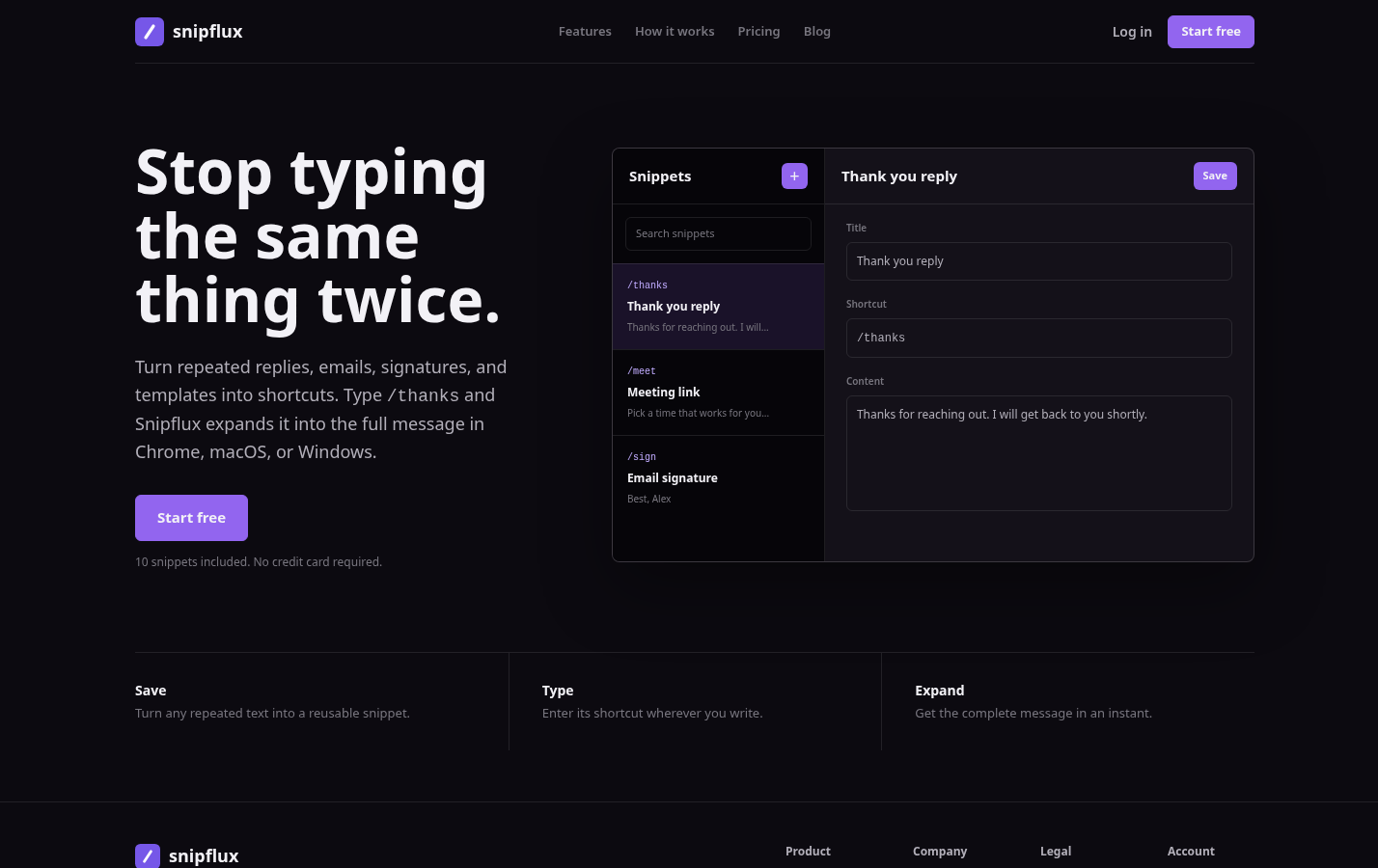
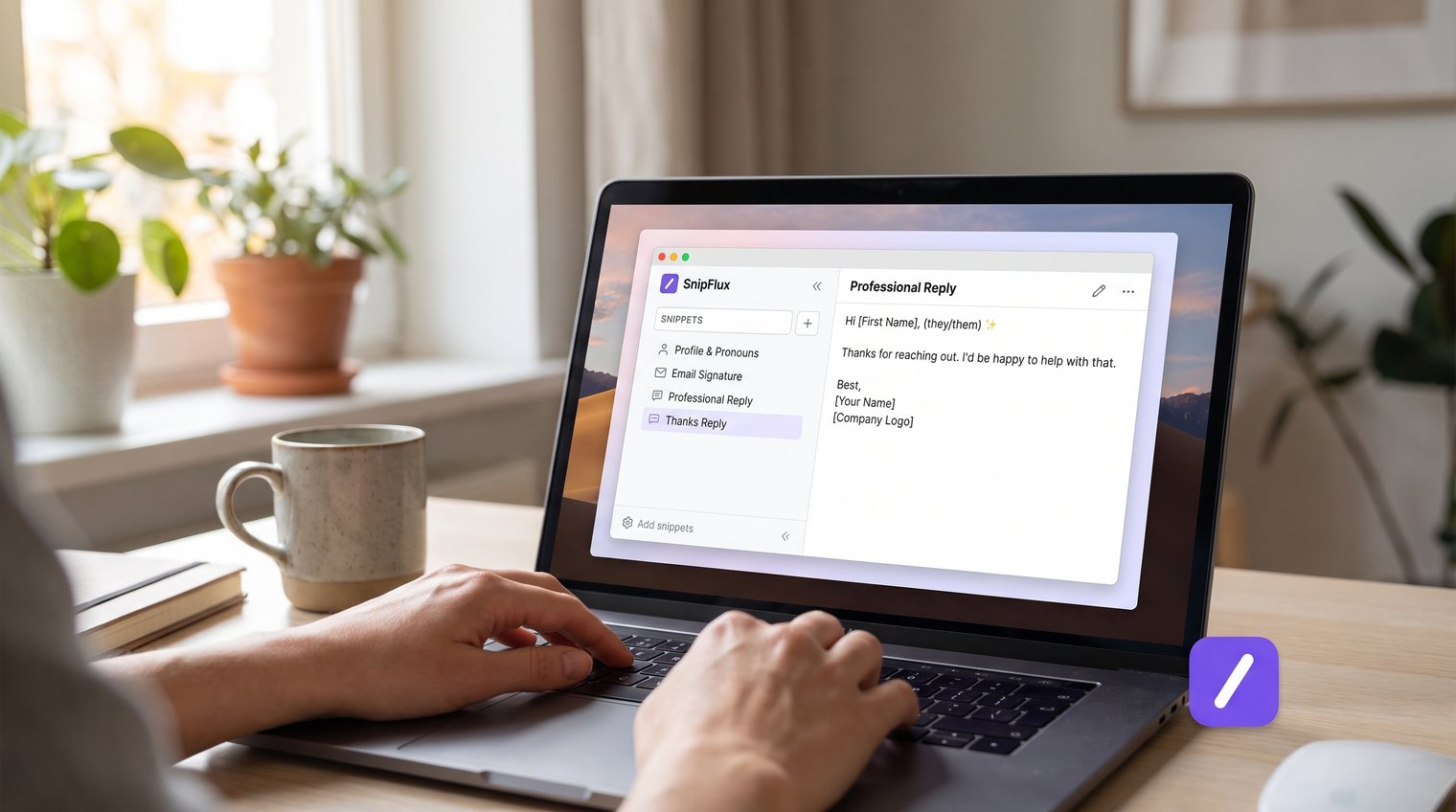
SnipFlux is designed for people who repeatedly type useful text across Chrome, macOS, and Windows. Save a complete reply, email, signature, template, instruction, or link as a snippet, assign a shortcut such as /thanks, and expand it in supported writing fields. Folders, labels, searchable names, and shared workspaces help keep a growing library usable.
It is a strong fit for support, sales, recruiting, operations, and any team maintaining shared response templates. Its meaningful limitation is also important: SnipFlux is for reusable text, not a replacement for full document collaboration, graphic design files, or platform-specific page layouts. Use it to insert the words and links around those assets, not to recreate the assets themselves.
Use a document or database for longer reference templates
Long policies, complex checklists, collaborative briefs, and documents that need comments belong in a document or database. Keep the master version there, where editing history and access controls are appropriate.
Then save a small snippet for the moment you need it, such as: Use the current onboarding checklist: {{Link}}. Confirm the account owner is {{Owner}} before sharing access. This combines quick insertion with a single source of truth.
Build your first set of copy paste templates
Do not begin with an enormous template dump. Build a practical starter set that reflects the situations you handle most often, label it consistently, and improve it after real use.
Email and client communication templates
Thank-you - /em-thanks
Hi {{FirstName}},
Thank you for {{SpecificReason}}. I appreciate you taking the time to {{Action}}.
Best,
{{SenderName}}
Meeting follow-up - /em-meeting-followup
Hi {{FirstName}},
Thanks for meeting today. We agreed on {{KeyDecision}}. The next step is {{NextStep}} by {{Date}}.
Helpful links: {{Link}}
{{SenderName}}
Status update - /em-status
Hi {{FirstName}},
Quick update on {{Project}}: {{CurrentStatus}}. We expect the next milestone by {{Date}}. Please let me know if you need anything else before then.
{{SenderName}}
Polite decline - /em-decline
Hi {{FirstName}},
Thank you for thinking of us. We are not able to move forward with {{Request}} at this time, but I appreciate the opportunity to review it.
Best,
{{SenderName}}
Customer support and internal response templates
Receipt confirmation - /su-received
Hi {{FirstName}},
We received your request about {{Issue}} and are reviewing it now. {{Owner}} will update you by {{Date}}.
Thank you,
{{TeamName}}
Troubleshooting request - /su-troubleshoot
To help us investigate, please send:
1. A screenshot of {{ScreenOrError}}
2. The steps you took before the issue occurred
3. Your browser, device, and app version
Once we have that information, {{Owner}} can continue troubleshooting.
Escalation handoff - /su-escalate
Hi {{FirstName}},
I'm escalating this to {{OwnerOrTeam}} for a closer review. They will assess {{Issue}} and provide the next update by {{Date}}.
{{AgentName}}
Internal availability update - /in-availability
I'll be unavailable from {{StartTime}} to {{EndTime}} on {{Date}}. For urgent questions about {{Project}}, contact {{Owner}} at {{ContactMethod}}.
For support snippets, keep policy wording accurate and name the owner of any promised handoff. Never save a vague assurance such as "We'll resolve this soon" if your team cannot consistently meet that expectation.
Social, profile, and community templates
Store profile copy, emoji lines, and Unicode symbols as snippets only when they have a clear use and a searchable name. Keep professional profile text separate from casual variants, and test characters on the destination platform before sharing them.
Profile line - /so-profile
{{Name}} | {{Role}}
{{Pronouns}}
{{TopicOrCommunity}} | {{Link}}
Community event line - /so-event
🎉 {{EventName}} · 📅 {{Date}} · 📍 {{Location}}
Unicode emoji, symbols, and multi-character combinations may render differently across devices. Keep a plain-text fallback where clarity matters. A text expander can save a caption or instruction for a visual project, but it cannot replace a project template or its layout.
Handle platform-specific templates with the right copy method
Some templates cannot be safely handled as plain text because their value lies in structure. Use the copy method built into the platform, then save a text snippet that helps people find, duplicate, or use the original correctly.
Copy a block in WordPress without breaking its structure
To copy a WordPress block, select the block, open its block options, choose the copy action, and paste it into a compatible editor area. Then verify the formatting, links, buttons, media, and spacing before publishing.
A reusable block or pattern preserves structure in a way copied text from a published post may not. If the content is used often, save a short snippet with the block name, its intended page type, and instructions for locating the approved pattern.
Duplicate a Notion template instead of copying page text
When a Notion template includes databases, relations, views, properties, or nested pages, duplicate the source page or template rather than selecting and pasting its visible text. Copying page text alone can discard the pieces that make the workflow functional.
Create a companion snippet such as: Duplicate the {{TemplateName}} before editing: {{Link}}. Set {{Property}} to {{Value}} and assign {{Owner}}. That makes the correct process easy to share in chat or email.
Copy content into Avery label templates carefully
Avery label layouts depend on the correct product number and matching template. Open the layout for that exact label sheet, paste names, addresses, or product copy into the designated fields, and print a test sheet on plain paper before using labels.
A text snippet can provide consistent address blocks or product descriptions. It cannot replace the label layout itself. Skipping the product-number check is the common mistake here, and it can waste an entire sheet of labels.
Review, update, and retire templates before they become risky
A snippet library needs light maintenance, especially when it contains customer-facing copy. An outdated link or old policy is more dangerous when it can be inserted instantly.
Set a recurring review schedule: monthly for active support and sales templates, quarterly for internal templates, and whenever a policy, product, offer, or brand message changes.
Use version rules for shared templates
For shared libraries, decide who can edit approved snippets and where drafts belong. A simple rule works well: anyone may suggest a revision, a designated owner approves customer-facing changes, and unapproved drafts are labeled clearly as needs-review.
Announce meaningful changes to the people who use the template most. Archive older templates instead of deleting them when historical reference may matter, but remove their shortcuts so outdated wording cannot be expanded accidentally.
Measure which snippets deserve refinement
Look for signals that a template needs work: people repeatedly rewrite the same sentence after expansion, recipients ask the same follow-up question, users cannot find the snippet in search, or a shortcut is forgotten. Those are signs to revise the wording, improve the name, or simplify the shortcut.
Usage volume also tells you what deserves attention. Refine the templates that save the most time, and retire the ones nobody uses. A smaller, accurate library beats a huge collection of stale copy every time.
Turn scattered copy paste templates into a dependable writing system
Reliable templates begin with real repeated work. Audit what you send, organize it by use case, write visible placeholders for changing details, assign safe shortcuts to the most valuable snippets, and review the library before outdated language spreads.
The result is not robotic communication. It is more time for the parts of a message that actually need judgment and personalization. If you need an organized library available across Chrome, macOS, and Windows, SnipFlux can serve as the insertion layer for the snippets you maintain.