A shared snippet library can save a team hours every week, but only if people trust what they find and can use it without slowing down. Dumping every old email template into a shared folder creates the opposite result: clutter, conflicting language, and shortcuts no one remembers.
The better approach is to treat the library as an operating resource. Start with a focused set of approved, high-value responses, organize them around real work, and give the team a simple way to improve the collection over time. If you are still defining the tool itself, this guide to a text snippet manager can help clarify the features your team may need.
Define the library's job before inviting the team
Before creating folders or sending invitations, decide what problem the shared library is meant to solve. It may be faster customer replies, consistent sales messaging, fewer repeated administrative tasks, or a combination of all three. The answer determines what belongs in the first version.
Keep the initial scope narrow. A support team might begin with ticket acknowledgements, information requests, and status updates. A sales team may start with follow-ups, meeting scheduling, and approved product links. Trying to turn the library into a complete knowledge base on day one usually delays adoption.
Write a one-sentence purpose statement that people can understand: "This library provides approved, reusable language for our most common customer and internal messages." Use it to settle debates about what should be added.
Choose the first workflows to standardize
Prioritize writing that happens often and changes very little from one situation to another. Good first candidates include support acknowledgements, appointment scheduling, common sales follow-ups, email signatures, internal handoff requests, approved links, and standard policy explanations.
- Choose tasks that occur several times per week for multiple people.
- Choose language that should be consistent across the team.
- Choose messages that require only light personalization, such as a name, date, or order number.
- Leave out highly sensitive, legal, disciplinary, or deeply case-specific messages until the team has a clear approval process.
A common mistake is adding every message that gets copied more than once. Repetition alone is not enough. A snippet should be reusable without creating risk or forcing so much rewriting that the saved text is no longer useful.

Audit existing snippets and source material
Most teams already have an informal library. It is spread across personal text expanders, saved email replies, help-center articles, CRM templates, internal documents, chat messages, and browser bookmarks. Gather those sources before building the shared version.
During the audit, look for duplicate answers that differ slightly, expired offers, old product names, inconsistent terminology, broken links, missing variables, and language that was never formally approved. Do not assume that frequently copied text is accurate simply because it is familiar.
Separate source material from publishable content. A helpful internal SOP may explain a process well but still need rewriting before it becomes a customer-facing response.
Use a simple audit sheet
A basic spreadsheet is enough to make the cleanup manageable. Create one row per candidate snippet and include columns for snippet name, current text, owner, source, use case, audience, last reviewed date, approval status, and the decision to keep, rewrite, or archive.
Use the sheet to consolidate near-duplicates. If five people have different versions of a refund eligibility reply, choose one approved version and preserve only that version in the launch library. The goal is not to import history; it is to give the team one reliable answer.
Mark unclear items as "needs owner" rather than guessing. That prevents unreviewed wording from slipping into a library that teammates will assume is safe to use.
Design a structure people can scan and search
Your organization should reflect how people work, not merely how the org chart looks. Someone handling a support ticket thinks in terms of triage, updates, resolutions, and escalations. They should not have to guess whether a response lives under "Customer Experience," "Policy," or "Communications."
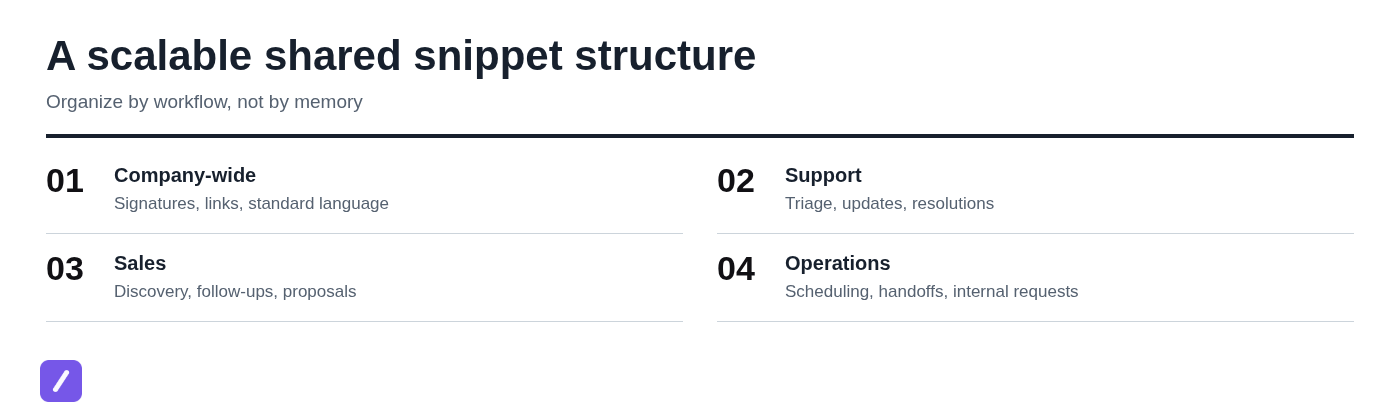
Use a shallow structure whenever possible. One top-level category and one useful subcategory is easier to browse than a maze of nested folders. Keep company-wide content separate from role-specific content so universal signatures and standard links do not get buried inside a department folder.
Create predictable names and shortcuts
Use names that explain both the workflow and the intent. For example, Support / Refund / Eligibility is easier to identify than "Refund response 2." The name should help someone find the snippet even when they do not remember its shortcut.
Use a consistent shortcut pattern, such as /sup-refund-eligibility, /sales-followup-demo, or /ops-handoff. A prefix makes it clear which team or workflow owns the shortcut and reduces collisions.
- Reserve a short prefix for each major workflow, such as /sup, /sales, and /ops.
- Use meaningful words after the prefix rather than cryptic abbreviations.
- Avoid common words or short strings that might expand accidentally during normal writing.
- Document retired shortcuts so an old trigger does not keep producing outdated copy.
Do not optimize every shortcut for speed. A trigger that saves one extra keystroke but is impossible to remember will not be used consistently.
Build snippets with safe placeholders
Placeholders reduce repetitive editing without encouraging careless sending. Use clear fields for details that change, such as [Customer name], [Order number], [Date], [Relevant link], and [Next step].
For example, a status update might begin: "Hi [Customer name], thanks for your patience. We have an update on order [Order number]..." The team member can fill in the relevant details instead of deleting stale information left by someone else.
Add a short context note when the wording has eligibility rules, policy limits, or a required follow-up action. A note such as "Use only after the refund window has been confirmed" can prevent a polished template from being used in the wrong situation.
Assign ownership and approval rules
A shared library needs clear ownership, but it does not need a committee for every punctuation change. Define who can create drafts, edit approved snippets, approve policy-sensitive wording, archive old content, and publish material for broad use.
The practical default is simple: team members can suggest or draft content, subject matter owners approve content in their area, and a small group maintains the final shared structure. This protects accuracy without making routine improvements painfully slow.
Match owners to the content they control
Assign ownership according to expertise and responsibility. Support or compliance owners should review policy-sensitive customer copy. Product marketing should own product descriptions and positioning. Operations should own scheduling, handoffs, and internal request templates.
Every important category also needs a backup owner. Without one, updates stop when the original owner changes roles, takes leave, or simply has other priorities.
Show ownership in the snippet record or audit sheet. If someone finds an incorrect price, an outdated link, or a confusing phrase, they should know exactly where to send the issue.
Set review triggers instead of relying on memory
Add a review date to snippets that can become stale, but do not depend on dates alone. Certain events should trigger an immediate review: a policy change, product release, pricing update, new promotion, workflow change, or repeated edits from users.
Retire a snippet when the underlying workflow is gone, when it no longer reflects approved language, or when people must rewrite most of it every time. Endless revisions can hide the fact that a template is no longer a good template.
Build a small, polished starter library
Launch with roughly 20 to 40 high-value snippets, not hundreds. That range is large enough to make the library useful and small enough for people to learn where things live.
Each entry should be ready to use. Include the approved text, clear placeholders, a descriptive name, and any context needed to use it correctly. A vague fragment copied from an old email is not a finished snippet.
Create a shared customer support response library
Support is often the best place to prove the value of a shared library because the work includes frequent, repeatable writing. A starter support collection might include:
- Ticket acknowledgement and expected response time
- Request for missing account, order, or device details
- Status update while an issue is under investigation
- Troubleshooting handoff or next-step instructions
- Resolution confirmation and follow-up guidance
- Escalation language for cases requiring another team
Approved replies should sound human, not mechanical. Start with language that acknowledges the person's situation, then leave room for the agent to add the specific facts of the case. A useful snippet gives the writer a strong starting point; it should not erase judgment or empathy.
Configure access and test the live expansion workflow
Before the full rollout, verify that people can access the right content where they actually work. It is not enough for a snippet to exist in a library if a support agent cannot find it while replying in the browser or if a salesperson cannot use it in their normal email workflow.
Test the exact destinations used by the pilot group. Check expansion behavior, line breaks, links, placeholder visibility, permissions, shortcut conflicts, and formatting in realistic writing fields. Include at least one long snippet and one snippet with a link so small formatting problems surface early.
Set up shared collections in SnipFlux
In SnipFlux, use shared folders or collections to distribute approved snippets by team and workflow. Keep personal drafts separate from published content so unfinished language is not mistaken for an approved response.
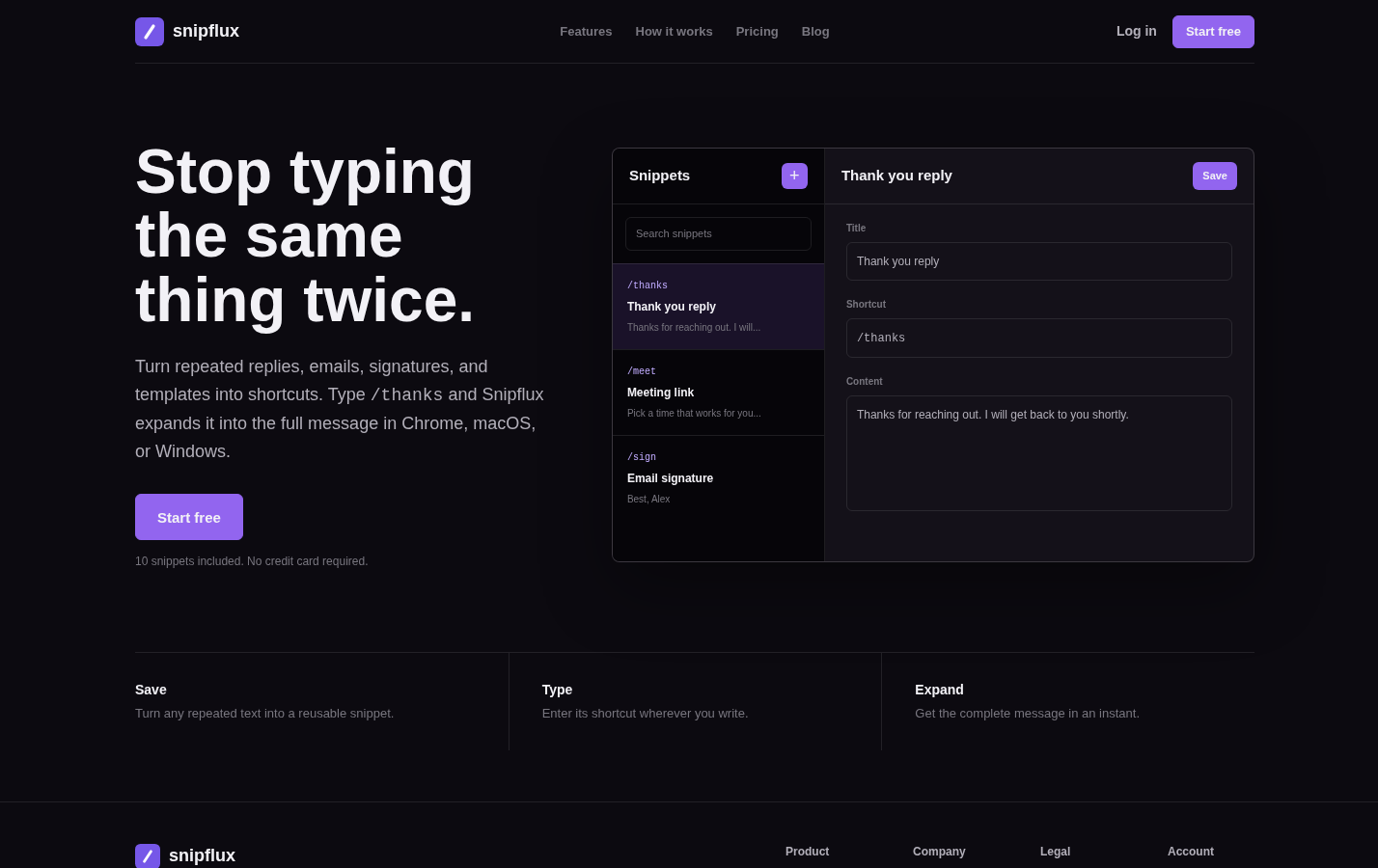
For example, create shared collections for Company-wide, Support, Sales, and Operations, then give each group access to the sections it needs. SnipFlux supports reusable text expansion across Chrome, macOS, and Windows, so test the shortcuts in the environments your team uses rather than assuming one setup covers every workflow.
Run a role-based onboarding session
Do not train everyone with a generic feature tour. Teach people how the library helps with the messages they write every day. A support representative, account executive, and operations coordinator should each practice different scenarios.
Keep the session hands-on. Ask participants to find a relevant snippet, trigger its shortcut, complete its placeholders, adjust the wording for the situation, and report anything unclear. Fifteen focused minutes of practice is more useful than an hour of passive demonstration.
Teach the minimum habits that drive adoption
People need only a few habits to start using the library well: search or browse by workflow, use a shortcut when they know it, fill every placeholder, personalize the final message, and request a snippet when a reusable pattern is missing.
Make one rule explicit: approved snippets are reliable starting points, not automatic send buttons. Team members still need to check names, facts, tone, and case-specific details before sending a message.
Also explain how to avoid unapproved drafts. If someone creates a useful personal response, they can submit it for review rather than placing it directly into the shared collection.
Give each role a practice scenario
Use realistic examples. Give a support agent a ticket that requires an acknowledgement and an information request. Give a sales representative a prospect who attended a demo but has not responded. Give an operations teammate an internal handoff that needs a deadline and owner.
Watch what happens during practice. If participants cannot find a snippet, the name or category may be unclear. If they struggle to remember a shortcut, improve the naming convention. If everyone edits the same sentence, revise the source text rather than telling people to work around it.

Launch in a controlled pilot before expanding
Start with a representative pilot group instead of inviting the entire company at once. Include people with different experience levels and enough real message volume to test the collection properly.
Set a short pilot window, such as two weeks, and create one clear feedback channel. Ask participants to report missing snippets, inaccurate wording, confusing names, technical issues, and shortcuts that feel unsafe or difficult to remember.
Collect feedback that leads to concrete changes
Ask focused questions: Where did you look first? What could you not find? Which snippets required too much editing? Did a shortcut fail in a key writing field? Were you unsure whether a response was approved?
Separate true library needs from one-time requests. If three people repeatedly need a similar response, it is probably a reusable pattern. If one customer has a unique contract issue, the correct answer may be a custom message rather than another shared snippet.
Measure usage and improve the library
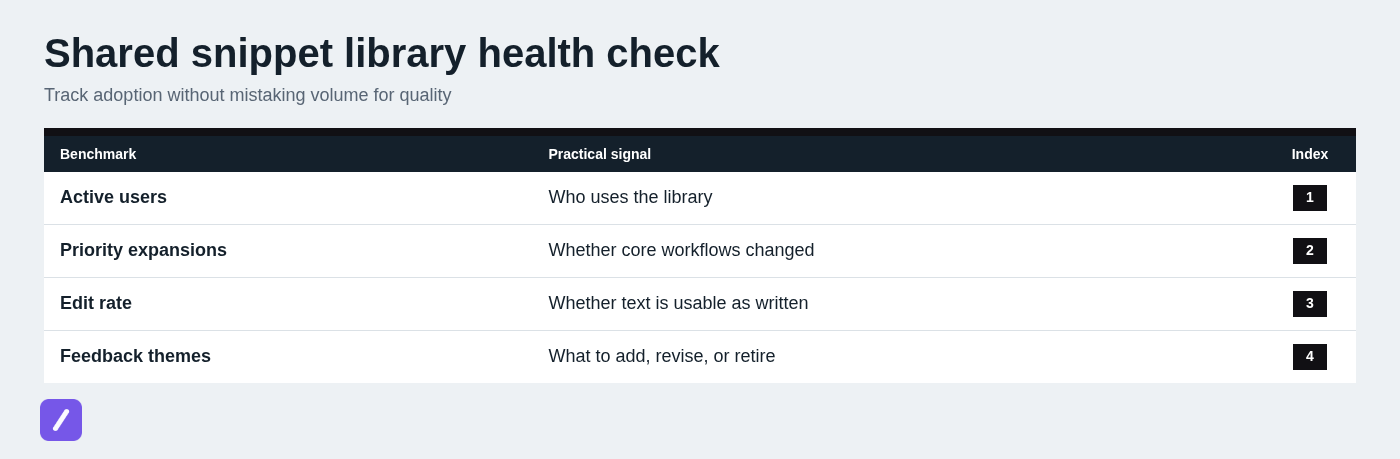
Define success before the rollout so the team does not confuse a large library with a useful one. Track active users, expansions by team, use of priority snippets, additions requested, and recurring edits to published text. For a more detailed measurement process, see how to measure snippet library usage.
Time saved can be useful as an estimate, but do not make it the only measure. A heavily used response that is inaccurate or poorly tailored is not a win. Pair usage signals with feedback from the people sending the messages and the people receiving them.
Review the signals on a regular cadence
Run a monthly review for new requests, common feedback, low-use content, and quick corrections. Schedule a deeper quarterly audit to confirm ownership, accuracy, overlapping snippets, and whether the library still reflects current workflows.
Low use is a prompt to investigate, not an automatic reason to delete content. A snippet may be hard to discover, poorly named, no longer relevant, or simply tied to a seasonal workflow. Ask why before making a decision.
Keep the shared library useful after launch
A shared snippet library works when it stays easy to find, safe to use, and actively maintained. That means starting with a focused set of approved text, organizing it around real workflows, and giving people a simple path to report gaps and corrections.
Do not wait for a perfect library. Build the first 20 to 40 snippets around work the team repeats every week, test them with a small group, and improve them based on actual use. When your team needs shared reusable text that can expand across Chrome, macOS, and Windows, SnipFlux can provide the cross-platform foundation for that workflow.