Most guest messages do not need to be written from a blank screen. The best Vrbo message templates handle the repeatable parts of hosting - the welcome, arrival basics, checkout reminder, and follow-up - so you can spend your attention on the details that actually need judgment.
The difference is simple: instead of rebuilding the same reply each time, insert a structured draft, replace the bracketed fields, verify the facts, and send a message that still feels written for that guest. Templates improve responsiveness; they do not excuse slow replies to urgent issues or generic answers to unusual questions.
The reusable guest-reply system: faster answers without sounding copied
A small message library can cover most recurring communication across a guest stay. Hosts commonly answer the same questions about availability, parking, arrival timing, Wi-Fi, checkout, and local logistics. Saving those answers creates consistency without forcing every guest into an impersonal script.
Before using templates, a host might type a new response for every inquiry, hunting for directions in an old message and trying to remember the current checkout process. Afterward, the host selects a saved reply such as PRE - Arrival Details, fills in [Guest first name], [Property name], and [Check-in date], then checks current information before sending.
That final check matters. A prepared message is a starting point, not autopilot. Guests notice when a host has missed their question, repeated outdated information, or sent a door code that no longer applies.
What to save as a Vrbo message template - and what to personalize every time
Save language that remains true from one stay to the next: your general welcome, where guests should send questions, a basic explanation of parking, or a concise checkout structure. These are the parts worth turning into Vrbo automated messages or reusable snippets.
Keep property references separate from facts that change. A house manual may contain stable instructions, but entry codes, road closures, snow conditions, current cleaning schedules, availability, and pricing require a real-time review. Never send those details simply because they appeared in an old template.
A practical convention is to leave visible fill-in fields wherever personal or variable information belongs:
- [Guest first name]
- [Property name]
- [Check-in date and time]
- [Current entry instructions]
- [Support phone or contact method]
Those brackets are not clutter. They are a safety mechanism. They prevent a polished message from sounding copied, and they make omissions easier to catch before you hit send.
Case setup: map the guest journey before writing templates
A representative host managing one or several vacation rentals often starts with a disorganized collection of old messages. Some are saved in email, some are buried in the Vrbo Inbox, and others live in a personal notes app. The result is inconsistent communication: one guest gets clear arrival instructions while another receives a rushed version assembled between tasks.
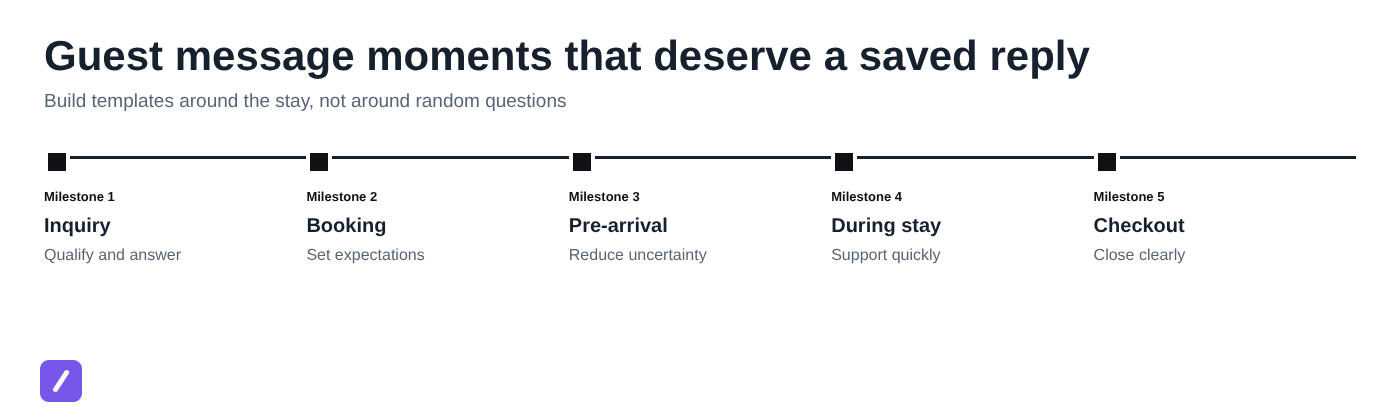
The better approach is to map templates to the moments guests actually experience: inquiry, booking confirmation, pre-arrival, arrival, mid-stay support, checkout, and review follow-up. This gives the host a compact library with a clear purpose for every reply.
Name templates so they appear quickly in search or a folder list. For example, use INQ - Availability, BOOK - Confirmation, PRE - Arrival Details, STAY - Issue Response, and OUT - Checkout Thanks. A good naming system is boring by design: it makes the right message easy to find when a guest is waiting.
1. Inquiry reply: availability, fit, and the next step
An inquiry reply should be quick, helpful, and cautious. It is not the place to promise a booking, approve an exception, or confirm availability before reviewing the reservation details.
Template:
Hi [Guest first name],
Thank you for your interest in [Property name] for [requested dates]. I am reviewing the details now and will confirm availability as soon as possible.
The home is a good fit for [relevant property feature, such as "families looking for a quiet base near downtown" or "guests who need dedicated off-street parking"]. It includes [one or two useful features], and [briefly answer the guest's stated question, if applicable].
[Optional: The minimum stay for these dates is [number] nights.]
[Optional: We can accommodate up to [number] registered guests.]
[Optional: Pets are [allowed/not allowed] under our current property policy.]
[Optional: Please note that events and unregistered visitors are not permitted.]
If you would like to proceed, please send or confirm [needed detail, such as guest count, pet information, or arrival plans]. I will be glad to help.
Best,
[Host name]
Keep only the optional lines that apply to the property. A guest should not have to read a long policy block to learn whether the home has parking or fits their group.
2. Booking confirmation: set expectations immediately
Once a reservation is confirmed, guests want reassurance first and logistics second. A confirmation message should acknowledge the booking, restate the basics, and explain when they will receive detailed arrival information.
Template:
Hi [Guest first name],
Thank you for booking [Property name]. We are looking forward to hosting you from [check-in date] to [checkout date].
I will send detailed arrival information, including [directions/parking/entry instructions], closer to your check-in date. If you have questions before then, please message me here in Vrbo so I can keep everything in one place.
[Optional: You can also review the house rules and property guide here: [location or attachment reference].]
Safe travels, and please let me know if your plans change.
There is no need to overwhelm a guest with every instruction immediately after booking. The goal is operational clarity: they know the reservation is acknowledged, when they will hear from you next, and how to reach you.
3. Pre-arrival message: remove check-in uncertainty
Pre-arrival communication is where a saved template provides the most obvious value. Guests tend to ask the same last-minute questions: Where do we park? Which entrance should we use? Is there Wi-Fi? What happens if our flight is delayed?
Template:
Hi [Guest first name],
Your stay at [Property name] begins on [check-in date]. Check-in is available from [check-in time].
Address and arrival: [Current address or directions]
Parking: [Current parking instructions]
Entry: [Verified entry instructions and current access code, if appropriate]
Helpful essentials: Wi-Fi details and other property information are available [location of guide/manual].
If your arrival timing changes significantly, please send me a message. I want to make sure your arrival goes smoothly.
Safe travels,
[Host name]
Stable directions can remain in the template. Sensitive or time-dependent information, especially door codes, should be reviewed and inserted when you send the message. Never assume an old code, lock setting, or access process is still current.
Early check-in or luggage-drop variation:
Thanks for asking, [Guest first name]. Standard check-in begins at [time]. I will confirm whether an early check-in or luggage drop is possible after [cleaning schedule or confirmation point]. Please do not plan around it until I can verify the home's readiness.
4. Arrival check-in: invite questions before small problems grow
A short same-day check-in can prevent a minor inconvenience from turning into an unhappy review. This is not another opportunity to repeat rules. It is a simple signal that the guest has a responsive point of contact.
Template:
Hi [Guest first name],
Welcome to [Property name]. I wanted to make sure you arrived comfortably and found everything you needed. If anything is unclear or not working as expected, please message me here and I will help.
For urgent issues, please [urgent contact method]. For non-urgent questions, send a message in Vrbo and I will respond as soon as possible.
[Optional: A quick note: the thermostat is controlled [brief instruction], and the [hot tub/parking area/fireplace] instructions are in [guide location].]
Enjoy your stay!
The most effective version is brief and warm. Guests who have already found the home and settled in do not need another dense block of instructions.
5. Mid-stay issue response: acknowledge, act, and set a timeline
Issue templates should not be used to dodge accountability. They are useful because they ensure the first response includes empathy, a safe next step, and a specific commitment to update the guest.
A vague response says, "Sorry about that. We will look into it." It gives the guest no idea whether anyone understands the problem, whether they should do something immediately, or when help is coming.
Template:
Hi [Guest first name],
I am sorry you are dealing with [reported issue]. Thank you for letting me know.
For now, please [safe immediate action, if applicable]. I am [contacting the appropriate person / checking the property system / arranging the next step] and will update you by [specific time].
[If confirmed: A [vendor/maintenance contact] is expected [time window].]
I understand this affects your stay, and I will keep you informed until we have a clear resolution.
Do not promise a repair, refund, replacement, or arrival time until you know it is possible. The template provides the structure; the host must supply accurate facts. If the issue is urgent or safety-related, move quickly and use the appropriate emergency process rather than relying on an ordinary message workflow.
6. Checkout reminder: make departure simple, not stressful
Guests appreciate a checkout message that makes the required steps unmistakable. They do not appreciate being handed a surprise cleaning project on the last morning of their trip.
Template:
Hi [Guest first name],
We hope you have enjoyed your stay at [Property name]. Checkout is by [checkout time] on [checkout date].
Before you leave, please:
- [Required step, such as "Lock all doors and windows."]
- [Required step, such as "Return the parking pass to [location]."]
- [Required step, such as "Place keys in [location], if applicable."]
[Optional: Please place trash in [location].]
[Optional: Please set the thermostat to [setting].]
If you encounter any issue while leaving, send me a message so I can help. Thank you again for staying with us.
Separate required departure steps from optional courtesies. If a task is essential, say so plainly. If it is simply helpful, do not present it as a hidden obligation.
7. Post-stay thank-you and review request: close the loop professionally
A post-stay note should be gracious, short, and free of pressure. Asking for a review is reasonable; offering incentives for positive reviews or making the request feel like a demand is not.
Template:
Hi [Guest first name],
Thank you for staying at [Property name]. We appreciated hosting you and hope you had a great trip.
[Optional personalized detail: It was lovely to hear that you enjoyed [occasion, local activity, or property feature].]
If there is anything we could have done better, I would appreciate hearing your feedback. If you had a positive stay, a review on Vrbo is also greatly appreciated and helps future guests know what to expect.
Thank you again,
[Host name]
Keep unresolved concerns out of this message. If a guest reported a problem, address that directly through a service-recovery response first. A review request should never replace a needed conversation about what went wrong.
How to add and send templates from the Vrbo Inbox
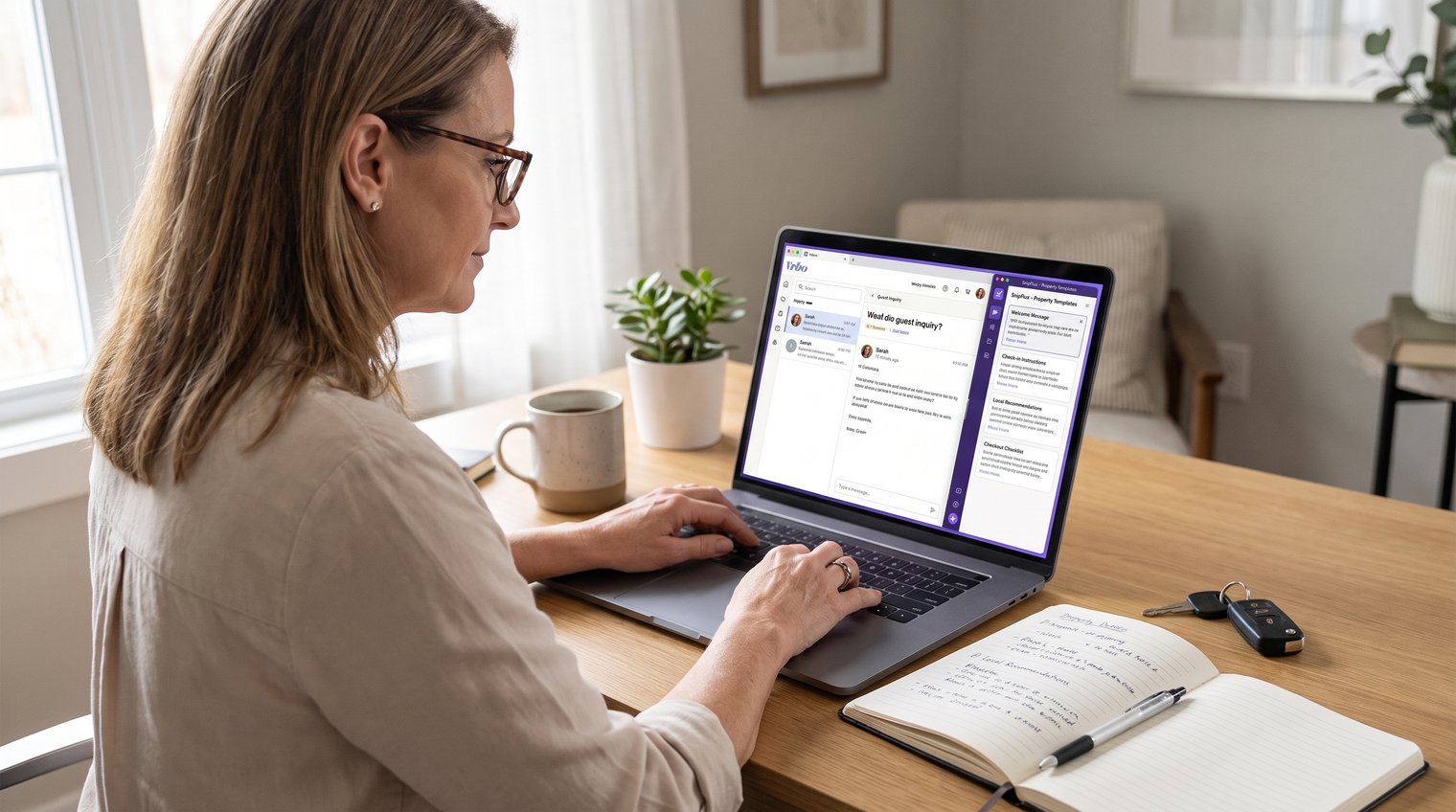
Vrbo templates are most useful when they are connected to the conversation where the guest is already communicating. Open the relevant reservation or guest conversation in the Vrbo Inbox, then create or select a named template for that message stage.
Before sending, review the entire message in the context of the actual reservation. Replace every placeholder, answer any question the guest asked that is not covered by the draft, and check variable information such as dates, property details, access instructions, and policies.
A practical sending workflow looks like this:
- Open the guest's conversation in the Vrbo Inbox.
- Select the appropriate saved template or create a new one for a recurring situation.
- Replace bracketed fields and remove optional lines that do not apply.
- Confirm all live details, including dates, access, and support information.
- Attach a current house manual or local guide only when it helps the guest.
- Read the final message once as the guest, then send.
Attachments can be useful for stable materials, such as a house manual or local guide. Still, check that the file reflects current amenities, parking arrangements, contacts, and property policies before reusing it.
Native Vrbo templates vs. cross-platform text snippets
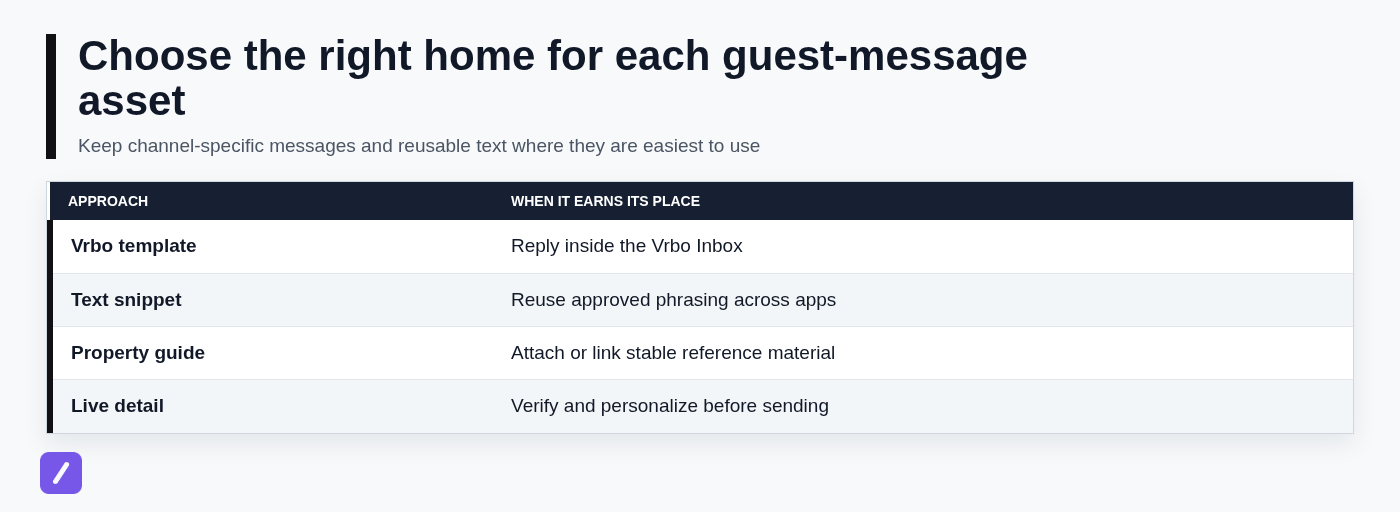
Vrbo-native templates are the natural choice for replies you write inside the Vrbo Inbox. They keep common guest communication close to the reservation and make it easier to select an established response at the right stage of the stay.
A text expander is useful when the same approved wording appears beyond Vrbo: in browser-based tools, email, internal property notes, documents, or other guest communication channels. Rather than copying and pasting from an old conversation, a host can use a shortcut to insert a reusable building block wherever it is needed.
SnipFlux, for example, is a cross-platform snippet manager that lets users assign shortcuts to saved text across Chrome, macOS, and Windows. A host might save a general issue-response structure, a standard signature, or a team handoff message template as a shortcut, while keeping Vrbo-specific templates in the Vrbo Inbox.
Neither approach replaces the other. Put the content where you actually compose it, and keep a clear source of truth for facts that change.
Turn these examples into a reliable message library
Do not try to build fifty templates in one sitting. Start with the three moments that consume the most repeated typing: inquiry replies, pre-arrival instructions, and checkout reminders. Once those are working, add the remaining stages.
- Copy each relevant example into your chosen template system.
- Use the same placeholder style in every message, such as [Guest first name] and [Current entry instructions].
- Name templates by stage and purpose so they are easy to find under pressure.
- Test each shortcut or saved reply before relying on it during a busy week.
- Review the library quarterly, and update it whenever guests repeatedly ask the same question.
For a more systematic setup, see How to Organize Copy Paste Templates Into Reusable Snippets. Maintain one source of truth for property facts. If parking changes, a smart-lock code is updated, an amenity is removed, or a local requirement shifts, revise the reference information before those changes make their way into future guest messages.
If you want a downloadable-style library, copy these seven examples into a document, the Vrbo template area, or a snippet manager. Just do not use a generic template unchanged. The most useful version reflects your actual property, policies, support process, and guest experience.
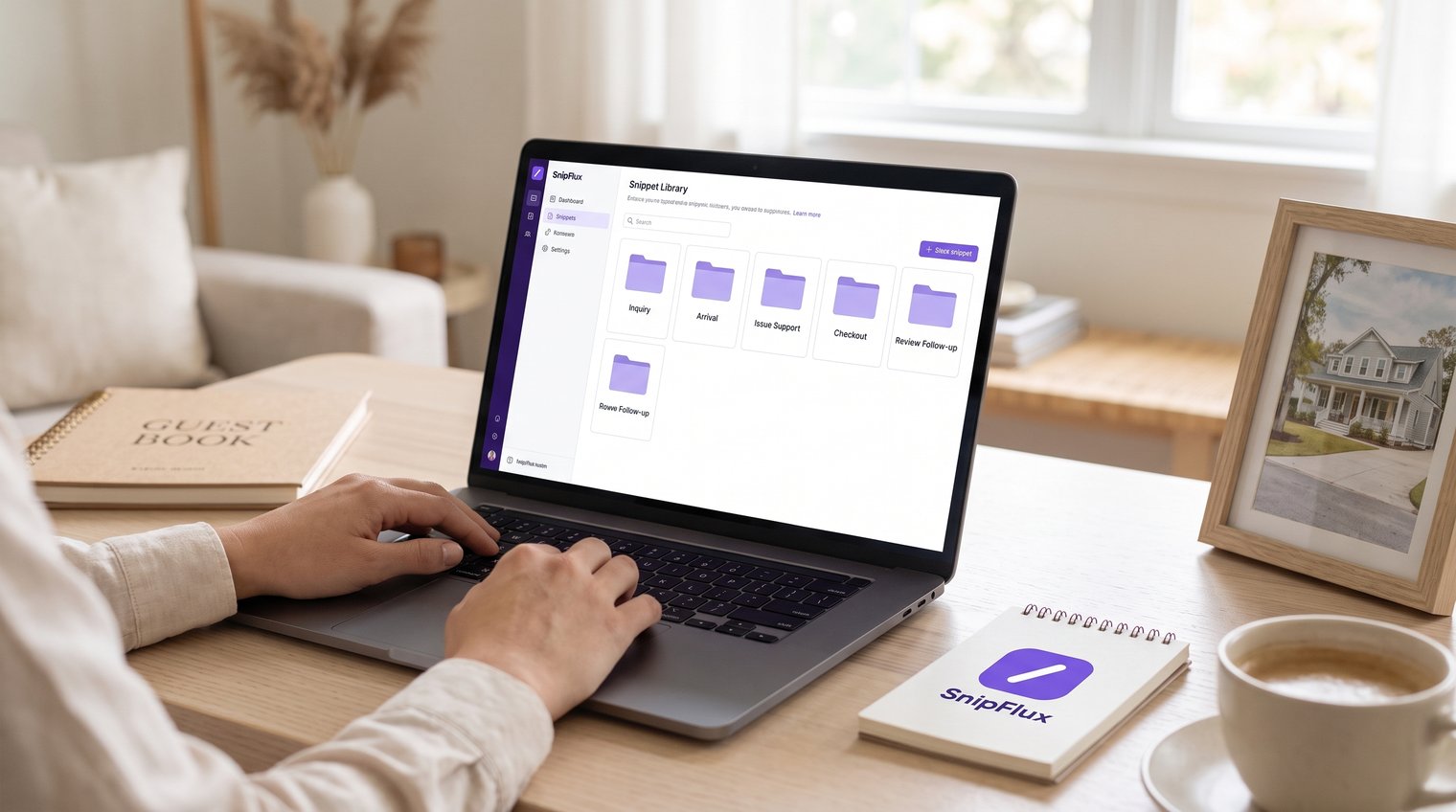
A better guest reply starts with a reusable draft, then a real check
Saved templates reduce repetitive typing and help hosts reply consistently at every point in a stay. But guest trust comes from the final review: accurate dates, current access details, a real answer to the guest's question, and a human response when something goes wrong.
Hosts who reuse the same message building blocks across Vrbo and other browser or desktop workflows can organize those drafts as SnipFlux shortcuts, then personalize and verify them before every send.