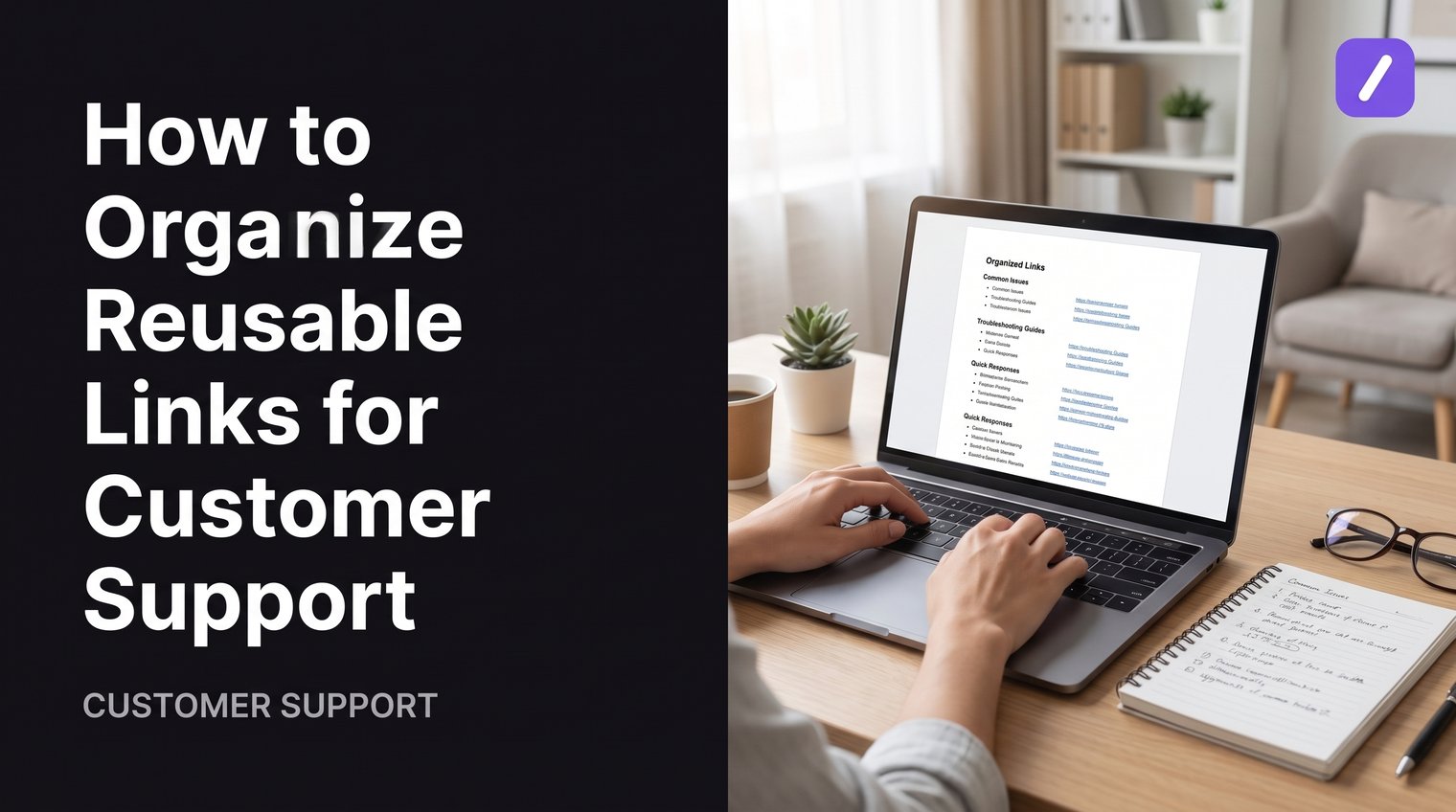
Customer support links become a hidden source of inconsistency when every agent keeps their own bookmarks, old macros, and chat messages. A customer asking about a refund, password reset, or service outage should receive the same current destination regardless of who answers the ticket.
The fix is not collecting more URLs. It is creating a shared system that gives every reusable link a clear purpose, approved wording, owner, and place in an agent's workflow. Here is how to organize reusable links for customer support without building an unwieldy library nobody uses.
Define which support links deserve a reusable home
Start by centralizing links agents send repeatedly. These are the destinations that should not live only in browser bookmarks, personal notes, old tickets, or a spreadsheet maintained by one person.
Good candidates include help center articles, account-management pages, policy pages, order-tracking pages, service-status pages, product setup guides, and standard troubleshooting flows. The common trait is that multiple customers can use the same destination with little or no modification.
Do not add every link an agent might ever share. A one-off case file, a temporary engineering workaround, or a customer-specific payment page usually belongs in the individual ticket, not a permanent shared library. Reusable entries should be stable, approved, and useful across many conversations.
Assign an owner to each major link category, then set a review date for resources that change often. Billing, pricing, returns, security, and policy links deserve particularly close attention because an outdated destination can create a bad customer experience or a compliance problem.
Start with high-frequency, high-impact links
Build the first version around links that appear often or carry significant consequences when they are wrong. Password recovery, invoice access, cancellation instructions, return policies, account verification, and security guidance should usually be prioritized over obscure product documentation.
Look at recent ticket tags, helpdesk macros, and saved replies to find patterns. Ask agents for the five links they paste most often and the links they regularly have to search for. That input is more useful than trying to predict every future question from an org chart.
A simple starting list might include:
- Account access and password reset
- Order tracking and delivery information
- Billing, invoices, and payment methods
- Returns, cancellations, and refund policies
- Product setup and common troubleshooting
- Current service status and outage guidance
Keep customer-facing links separate from internal resources
Internal runbooks, escalation forms, engineering dashboards, and team-only documentation should never sit beside customer-ready links without a clear boundary. One accidental paste can expose information that was meant only for employees or partners.
Create a distinct internal-only area with appropriate permissions and obvious naming. For example, label entries as "Internal: Account Recovery Escalation" rather than naming them in a way that could be mistaken for a customer help article. Customer-facing content should be searchable and fast to use; internal procedures should be visible only to the people who need them.

Build a shared customer support response library
A link library works best when it contains more than URLs. Agents need the short explanation that tells a customer why the page matters, what they should do there, and what to expect next.
Use one team-owned source of truth instead of separate personal bookmark folders, saved replies, spreadsheets, and copied notes. If your team is consolidating existing copy-paste templates, use the same approved destination and ownership rules for those entries. Fragmented systems almost guarantee that agents will keep using old destinations after a policy or product change.
The library also needs to work at the point of reply. If an agent has to leave the helpdesk, search a document, copy a URL, return to the ticket, and write an explanation from scratch, they will eventually take shortcuts. A good workflow makes the approved response the easiest response to send.
Choose a library format that matches the team's workflow
A small support team can begin with a well-maintained shared document or knowledge base. That is often enough when a few people handle a limited set of requests and updates are infrequent.
As ticket volume, channels, or team size grow, a snippet or text-expander system is usually more practical. It lets agents retrieve and insert approved text where they actually work, whether that is a browser-based helpdesk, email client, CRM field, or chat tool.
Choose based on adoption rather than novelty. The important requirements are clear edit permissions, reliable search, access in the support stack, and a process for keeping entries current.
Give every entry a clear purpose and owner
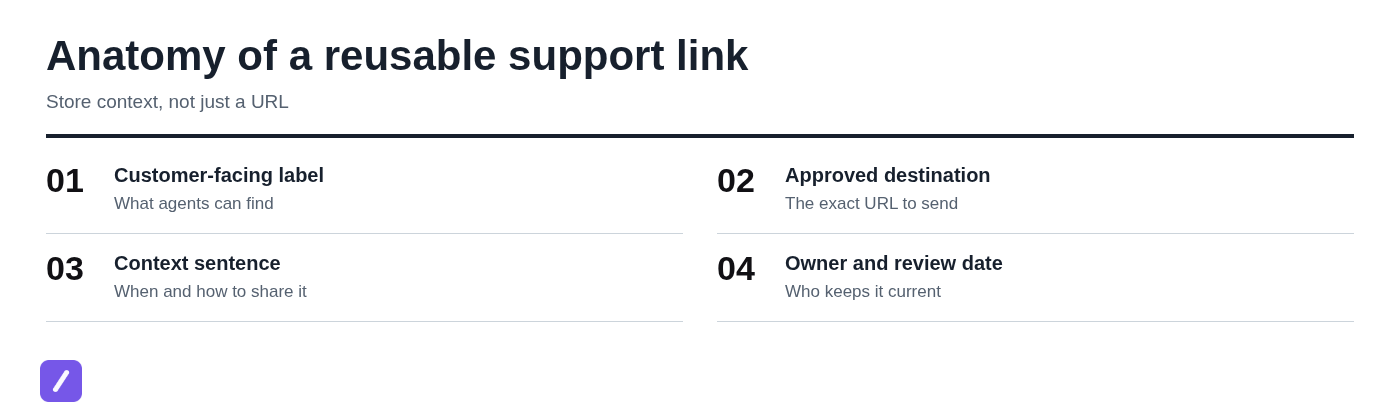
Use the same structure for every reusable support-link entry. Consistency makes entries easier to scan, edit, and review.
- Customer-facing name: A title agents recognize, such as "Reset your password."
- Approved destination: The exact URL customers should receive.
- Context sentence: A short explanation of what the page does and when to use it.
- Audience or product area: For example, existing customers, Pro plan, or mobile app.
- Owner: The person or team responsible for accuracy.
- Last-reviewed date: A visible record of when it was checked.
Ownership prevents orphaned links. If a product page moves, a policy changes, or a feature is retired, the assigned owner knows they need to update the response rather than hoping someone notices during a ticket.
Create a simple category structure agents can scan
Organize the library around why the customer contacted support, not around your company's internal departments. Customers do not think in terms of "Revenue Operations" or "Platform Infrastructure"; they think, "I cannot sign in" or "Where is my order?"
Keep the hierarchy shallow. Start with a small group of top-level categories, then add product- or task-specific groups only when the volume justifies them. Most teams can begin with account access, billing, orders, product setup, troubleshooting, policies, and service status.
Use folders for broad destinations and labels for cross-cutting needs
Folders answer, "What is this about?" Labels answer, "When or for whom should I use it?" That distinction keeps a library useful without turning it into a maze.
For example, put a password-reset response in an Account Access folder. Then add labels such as authenticated customer, English, EU, or a relevant product line when those conditions affect whether the snippet is appropriate.
Useful labels often include plan tier, region, language, product line, customer status, urgent issue, and internal-only. Use only labels that help agents make a real decision. A label that never changes how someone responds is clutter.
Avoid over-categorizing
Deep folder structures slow people down. So do duplicate copies of the same link stored under several categories. Duplicates create conflicting versions when only one copy gets updated.
Use a simple decision rule: if an agent cannot predict where a link lives, improve its title, add a searchable label, or add relevant search terms. Do not automatically create another folder branch.
A common mistake is building a structure that reflects every internal team and product feature before agents have used it. Start broad, watch how agents search, and refine only when a repeated retrieval problem appears.
Write reusable snippets around the links
A bare URL leaves agents to explain the next step in their own words. That creates inconsistent guidance and increases the chance that a customer receives a link without enough context to use it.
Pair important links with concise, approved copy. Tell the customer what the destination is, what action they should take, and what happens after they complete it. When a response needs customer-specific information, use placeholders only if the destination is still correct for the case.
Use descriptive link wording whenever your channel supports it. "Reset your password" is clearer and more accessible than "click here." In plain-text channels, introduce the URL with a sentence that explains its purpose.
Use a consistent support-link snippet template
A dependable structure keeps responses brief and useful:
- Acknowledge the request.
- Explain what the linked page will help the customer do.
- Provide the approved URL or descriptive linked text.
- State the next action.
- Set an escalation boundary when appropriate.
For a broader approach to reusable support replies, see this guide to paragraph snippets.
For example, a password-reset snippet could read:
"You can reset your password from our password reset page: [approved password reset URL]. Enter the email address associated with your account, and we will send reset instructions. If the reset email does not arrive within 10 minutes, reply here and we can help investigate."
This response does not promise that every customer will regain access immediately. It gives a specific path, sets a reasonable expectation, and tells the customer what to do if the normal flow fails.
Create variants only when the customer context changes
Separate snippets are justified when the wording, eligibility, or destination genuinely differs. A pre-purchase customer asking about pricing may need a different response from an existing customer looking for an invoice. Regional return policies may also require separate entries.
Do not create variants just because two agents prefer slightly different phrasing. That produces unnecessary maintenance. Keep one underlying destination wherever possible, and create variations only when the customer's next step changes.
Set shortcuts agents can recall without guessing
Shortcuts should be predictable enough that experienced agents can use them without opening the library. A readable convention also makes it easier for a new teammate to learn the system.
Use a category-and-intent pattern, such as /acct-reset, /bill-invoice, /order-track, or /policy-returns. The exact prefix matters less than using the same pattern consistently.
Avoid cryptic abbreviations, excessively long shortcuts, and triggers that might appear in ordinary typing. A shortcut like /r is quick but too easy to confuse; /account-password-reset-instructions is memorable but too cumbersome. Aim for short, distinct, readable terms.
Use names, shortcuts, and search terms together
Shortcuts serve speed, but names and search terms support discovery. An agent who knows /acct-reset can expand it immediately. A new agent may search for "forgot password," "cannot log in," or "reset login" instead.
Give each entry a clear title and, where your system supports it, include common customer phrasing as keywords. That way, agents do not need to memorize internal terminology before they can find the right response.
Make the library available where agents reply
Even a perfect library will fail if it requires too many context switches. Agents under queue pressure will bypass a process that takes several searches and copy-paste steps.
Make approved responses available in the places your team actually handles support: browser-based helpdesks, email, CRM notes, live chat, and other supported writing fields. A cross-platform text expander can insert a complete response, including the saved link and approved context, without tying the library to one helpdesk's native macro feature.
Before rolling out a system, test it in the channels your agents use most. A response that works well in email may need shorter wording for live chat, while a tool that works in one browser field may not cover all of your team's daily workflow.
Use SnipFlux for cross-platform link snippets
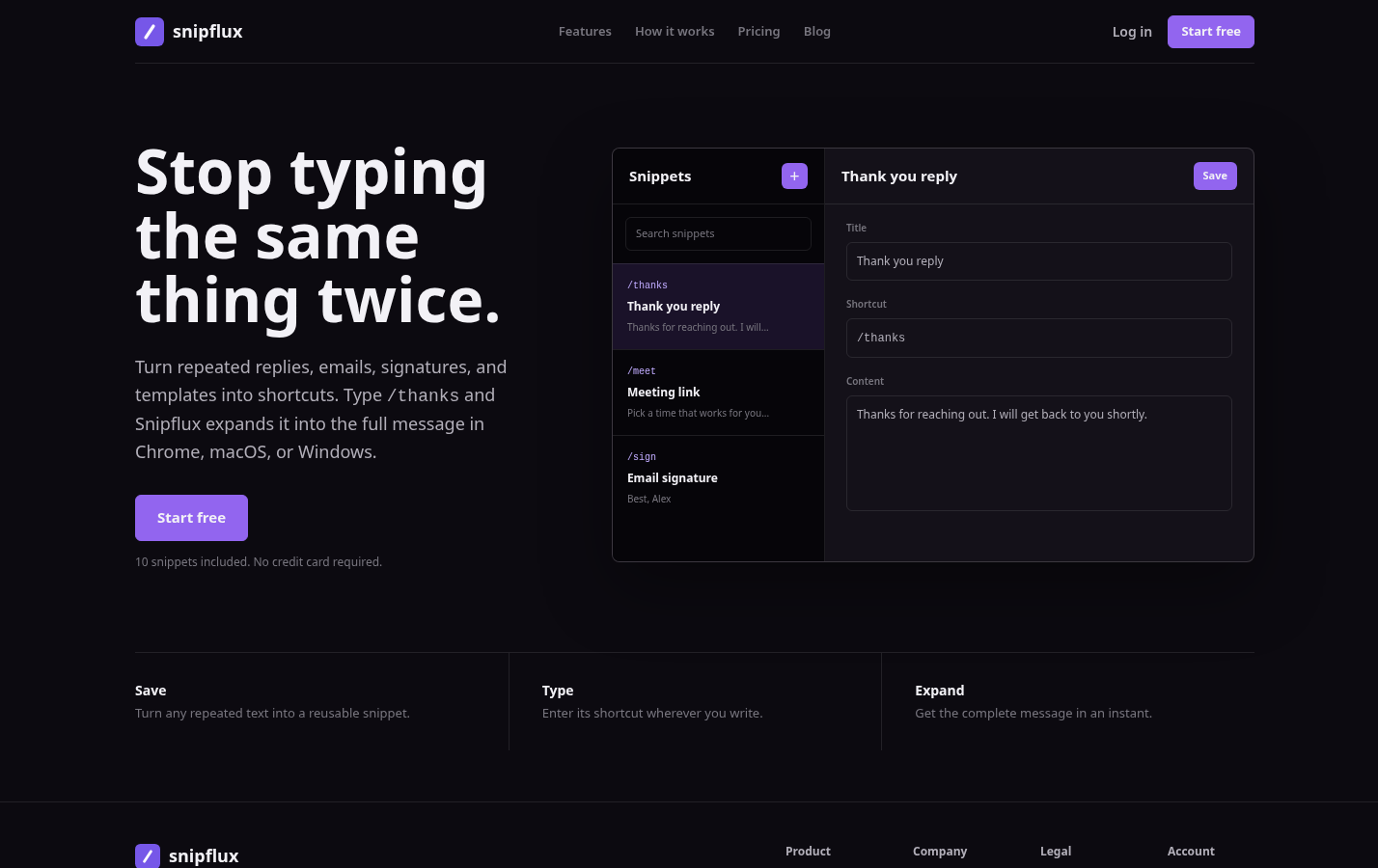
SnipFlux is an option for teams that need reusable text and link responses across more than a single helpdesk. Save an approved support reply as a snippet, assign it a shortcut such as /order-track, and organize related entries by support topic.
When an agent types the shortcut in supported writing fields across Chrome, macOS, or Windows, the saved response expands with the approved link and context. This keeps approved support replies available without relying on each agent's personal collection of shortcuts.
Add guardrails for accuracy, permissions, and sensitive cases
Not every reusable link should be available to every agent in every situation. Treat regulated, personalized, expiring, region-specific, and authenticated-customer destinations with extra care.
Mark internal-only entries clearly and restrict edit access for policy, legal, pricing, privacy, and security-related content. A small group should control changes to high-risk responses, while agents can still suggest improvements through a defined request process.
Also define when agents must stop using a reusable link and escalate. Suspected account compromise, identity-verification failures, exception requests, threats of legal action, or requests involving sensitive personal data usually require a case-specific review. A generic link is not a substitute for judgment.
Use destination checks before publishing high-risk links
Before publishing a high-risk entry, verify that the page is live, current, mobile-friendly, and accessible to the intended audience. Confirm whether it is public or appropriately gated, and make sure the page actually delivers the next step the snippet promises.
Check redirects and locale behavior too. A familiar URL may now redirect to a generic landing page, require a login, or send international customers to the wrong region. Test the customer journey rather than assuming a link remains correct because it worked last quarter.
Create a review process that keeps links from going stale
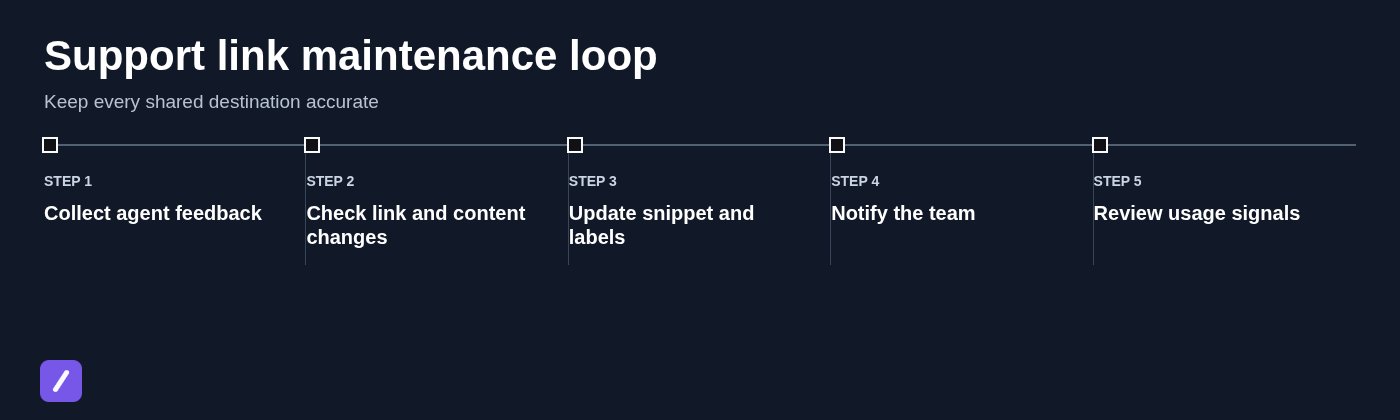
Organizing links is not a one-time cleanup project. Product releases, policy changes, redesigned help centers, and retired features can all make a once-correct response misleading.
Set a lightweight review cadence based on risk. Review security, billing, policy, pricing, and status links more often than evergreen setup guides. Then schedule a full-library review at a consistent interval, such as quarterly or twice a year, depending on how quickly your product changes.
Use broken-link reports, agent feedback, product-release notes, and changes in repeat-contact patterns as review triggers. If customers repeatedly return after receiving a link, the problem may be the linked content, the response wording, or the fact that the link is being used for the wrong cases.
Track meaningful changes and tell agents when a response has been replaced. A short update such as "Refund policy snippet updated for the new eligibility rules" helps prevent people from relying on memorized old guidance.
Measure whether the library improves support work
Measure whether the system helps agents and customers, not simply how often a link is pasted. Useful signals include time to find the right resource, agent adoption, repeat contacts after a link is shared, stale-link reports, and click-through data when it is available.
Review those signals for friction. Low use may mean agents cannot find the entry or do not trust it. High repeat contacts may mean the help article is unclear. The goal is better resolution, not maximizing the number of links sent.
Roll out the library without overwhelming the team
Do not try to document every possible URL before launch. Begin with the most common ticket categories and expand based on real requests from agents. A smaller library that is accurate and easy to use is far more valuable than a massive directory full of questionable entries.
A practical rollout sequence looks like this:
- Collect existing bookmarks, macros, saved replies, and frequently used help articles.
- Remove duplicates and identify the approved destination for each topic.
- Publish the initial high-frequency set with names, snippets, owners, and review dates.
- Train agents to search, use shortcuts, and report missing or outdated entries.
- Review feedback after launch and add entries only where repeated demand exists.
Assign a named library owner to handle requests, protect the taxonomy, and coordinate updates with product, policy, and support leaders. Without that responsibility, the library slowly turns back into a collection of personal workarounds.
Give every support link a clear home and context
A reliable support-link library is more than a list of URLs. It combines approved destinations with customer-ready wording, logical organization, clear ownership, and regular maintenance. That structure lets agents respond quickly without guessing whether a link is current or appropriate.
Start with the links your team uses most, keep the categories simple, and make the approved response easy to insert where support work happens. Teams that need cross-platform, shortcut-based snippets can explore SnipFlux to keep approved link responses available wherever agents work.