Most Slack messages do not need to be written from scratch. Yet teams routinely rewrite the same status updates, support acknowledgements, meeting recaps, and follow-ups because the useful wording is buried in old threads or personal notes.
Slack can help standardize channels and automate certain workflows, but it does not offer a universal built-in library for quickly inserting reusable text into every conversation. A small, well-maintained template library fills that gap without making your messages sound robotic.
What Slack message templates are - and when SnipFlux is the better fit
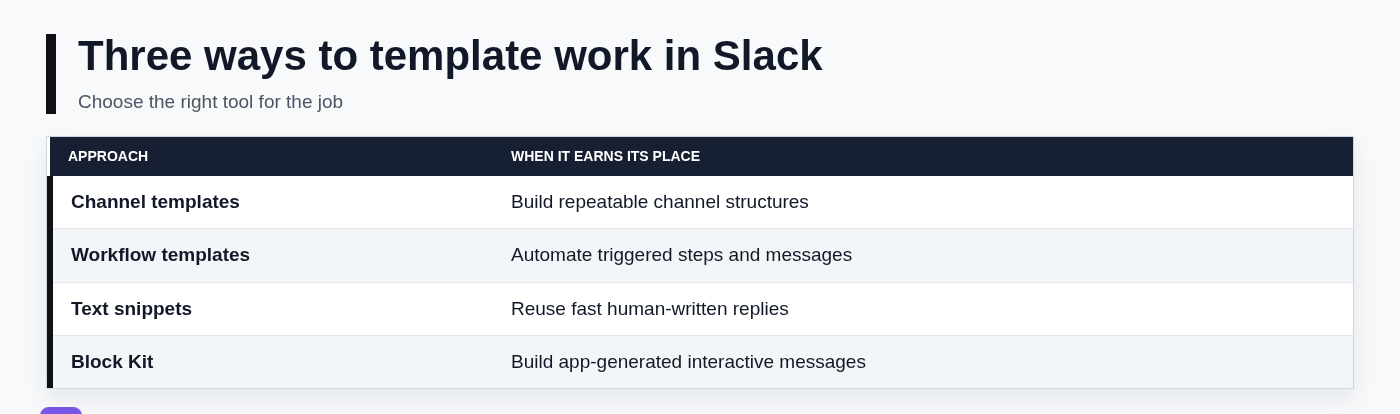
"Slack message templates" can refer to several different things, and confusing them leads to the wrong setup. Slack channel templates help create repeatable channel structures. Workflow tools can trigger automated steps and messages. Block Kit is for developers building app-generated, interactive Slack messages.
For most day-to-day communication, a message template is simpler: reusable text you can find, copy, personalize, and paste into the right Slack channel or DM. This works especially well for recurring replies, project updates, reminders, handoffs, links, and instructions.
SnipFlux is a practical fit when you need a searchable library of reusable text rather than an automated Slack workflow. Save a message once, assign a shortcut, and expand it in a supported writing field when you need it. You can also find and copy a snippet manually. The final message is still reviewed and tailored by the person sending it.
Start with a small library of repeatable Slack messages
Do not begin by trying to document every type of Slack conversation your team has ever had. Start with five to 10 messages that are both frequent and mildly annoying to recreate. Those are the messages most likely to save time immediately.
Review your recent Slack activity and look for repeated questions, recurring announcements, project handoffs, routine requests for status, and common follow-ups after meetings. If you have typed a version of a message three times in the last month, it is probably worth templating.
Use names that describe the moment you need the message, not the vague category it belongs to. "Project update - blocker and decision" is easier to find than "Update 2." For organization, use folders or labels based on how you retrieve content in real life: Support, Project updates, Onboarding, Sales, or Manager messages.
Messages worth templating first
The highest-value templates tend to be short operational messages with a repeatable structure:
- Daily standups and morning updates
- Weekly project status reports
- Meeting follow-ups with action items
- Support acknowledgements and escalation handoffs
- Status requests and deadline reminders
- Common instructions, links, and onboarding answers
Morning message templates can be useful for distributed teams, especially when a daily check-in is part of the team's routine. Do not copy a generic "Good morning" post into a channel just for the sake of activity, though. The best update tells colleagues what matters: priorities, availability, blockers, or a request for input.
What not to save as a template
A template should be a safe starting point, not a shortcut around judgment. Do not store passwords, access credentials, confidential customer details, sensitive HR language, or legal and disciplinary messages in a general snippet library.
Also avoid treating high-stakes communication as fill-in-the-blank work. A customer escalation, performance issue, or incident update may use a helpful structure, but the actual wording should be reviewed for the specific situation before it is sent.
Create your first reusable Slack message in SnipFlux
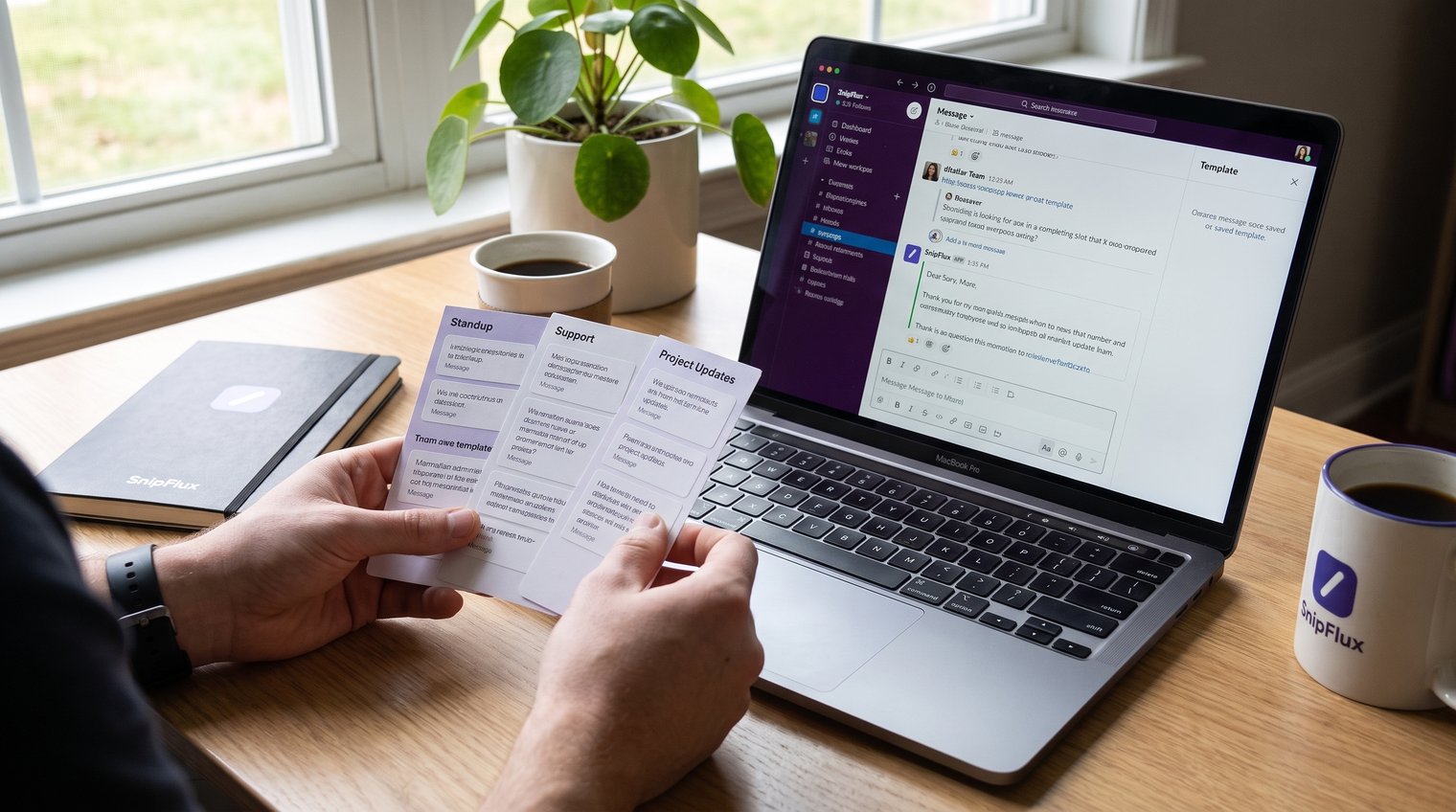
Create a snippet by saving three things: a clear title, the reusable message text, and labels or a folder that make it easy to retrieve. The goal is not to create a perfect finished Slack post. It is to preserve the reliable structure so you do not have to rebuild it under pressure.
Use a message that your team sends regularly, such as a project-status update. Give it a title such as Project status - weekly update, place it in a Project updates folder, and add labels such as status, weekly, and the relevant team name.
The saved snippet remains a draft until you adapt it to the current conversation. That is an advantage: you retain speed while ensuring the update has the right project details, dates, owners, and links.
Build a project-status update template
Use visible fields for the information that changes from one update to the next. Clear placeholders make omissions obvious and give readers a predictable format to scan.
Template:
[Project] status: [On track / At risk / Blocked]
Completed: [What changed since the last update]
Current focus: [Work in progress]
Blocker or risk: [Issue, if any]
Next step: [Specific action]
Owner: [Name]
Target date: [Date]
Decision needed: [Question or "None"]
Leading with the status matters. A busy stakeholder should be able to tell whether attention is needed before reading the supporting detail.
Save and organize a snippet in SnipFlux
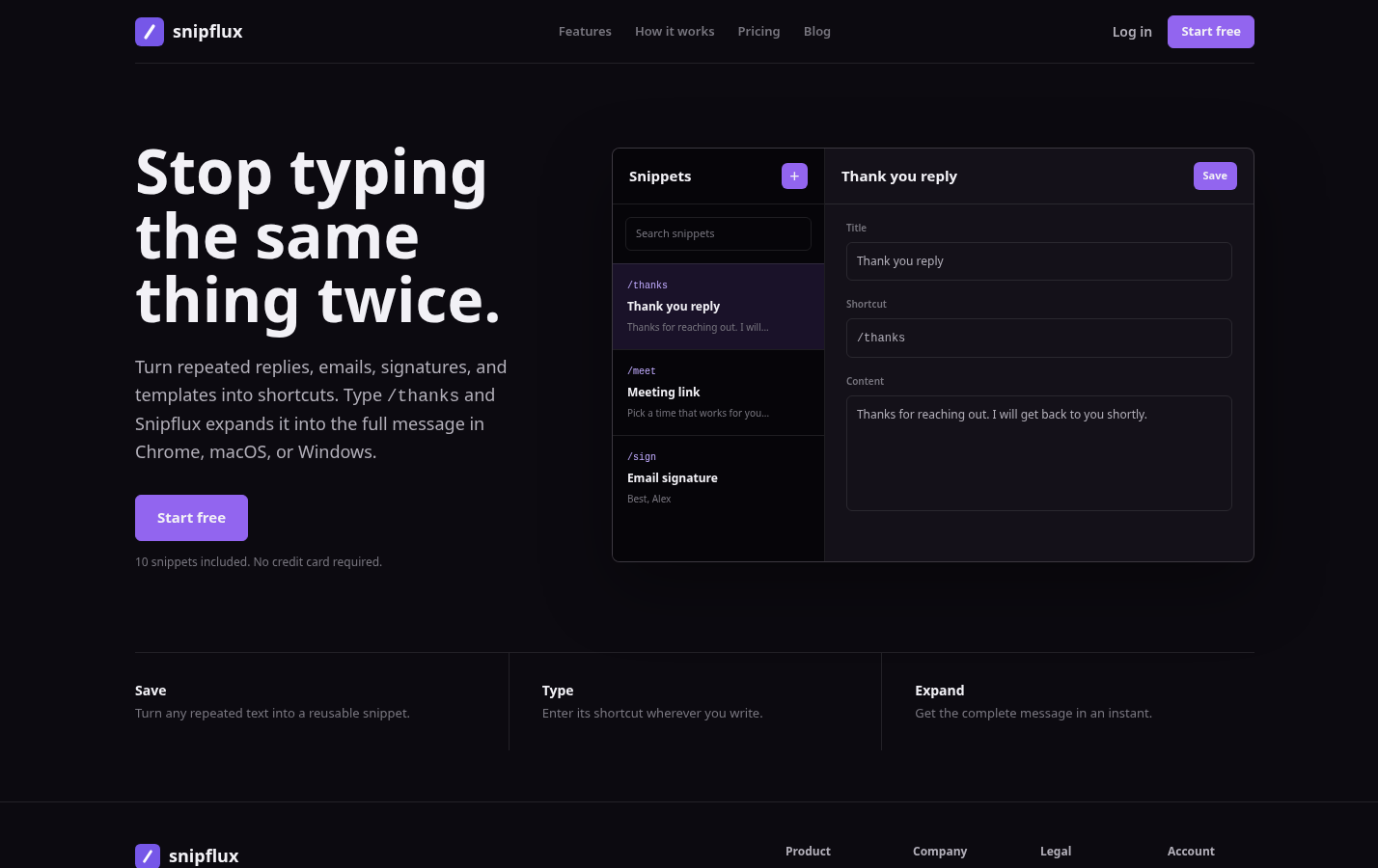
SnipFlux is best for storing reusable plain-text messages that need to be found quickly and copied into Slack, email, support tools, or anywhere else you write. The screenshot above shows the public SnipFlux site; use the product to save, find, and expand reusable text for personal or team workflows.
Its meaningful limitation is that it does not turn a standard Slack message into a dynamic form or automatically send the message for you. Choose it when a human should still decide where the message goes, personalize the variables, and press Send.
Write templates with placeholders instead of sending generic copy
The difference between a useful template and an impersonal canned response is usually the placeholders. Use unmistakable fields such as [Name], [Project], [Date], [Owner], and [Action needed] wherever context must change.
Keep the fixed language short. Save the parts that explain the process, set expectations, or establish a consistent format; leave the specifics visible and editable. Standard Slack messages are not fillable forms, so a copied template should make the sender's editing work obvious rather than hiding it.
Use a quick pre-send check
Before posting a templated message, take 15 seconds to check four things:
- Every placeholder has been replaced or intentionally removed.
- Links, names, dates, and deadlines are current.
- The message is going to the correct channel, thread, or DM.
- The requested action is clear, including who owns it and when it is due.
A common mistake is updating the first line but leaving an old date or customer name lower in the message. Read the pasted copy once from top to bottom before sending. Review templates periodically as processes, ownership, policies, and source links change.
Reuse a snippet in Slack without losing context
When you need a recurring message, search SnipFlux by its title, keyword, or shortcut, then expand the matching snippet in a supported Slack writing field, or copy and paste it manually. Replace the variable fields, check the formatting in the composer, and send it to the appropriate destination.
Do not paste and send blindly. The most effective Slack templates combine a stable structure with one or two details that prove the message belongs in the current conversation: the latest milestone, the person's name, a relevant thread link, or the exact decision needed.
A centrally maintained library also reduces the stale-version problem. Instead of five people keeping slightly different replies in private notes, a team can update the approved message once and make the current version easier to find.
Find and reuse snippets in SnipFlux
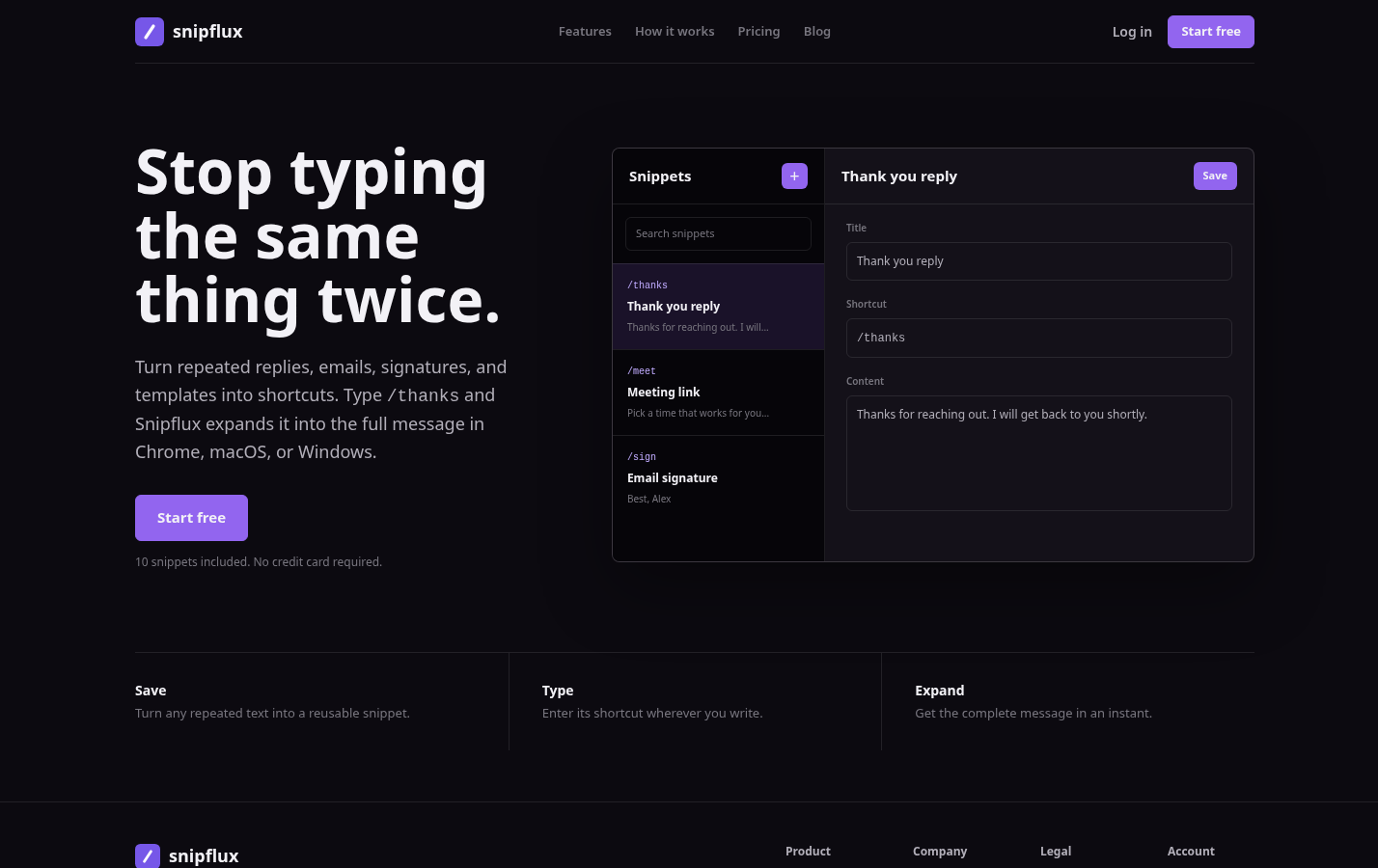
For retrieval, SnipFlux is most useful when snippet titles match the words people naturally search. A support teammate looking for "refund acknowledgement" should not need to remember an internal document name; a sales rep searching "follow-up after demo" should reach the right text quickly.
It is not a replacement for Slack's conversation search, which is still where you find history and thread context. Use SnipFlux for the approved reusable wording, then use Slack to confirm the details that belong in the current message.
Format Slack templates so people can act on them
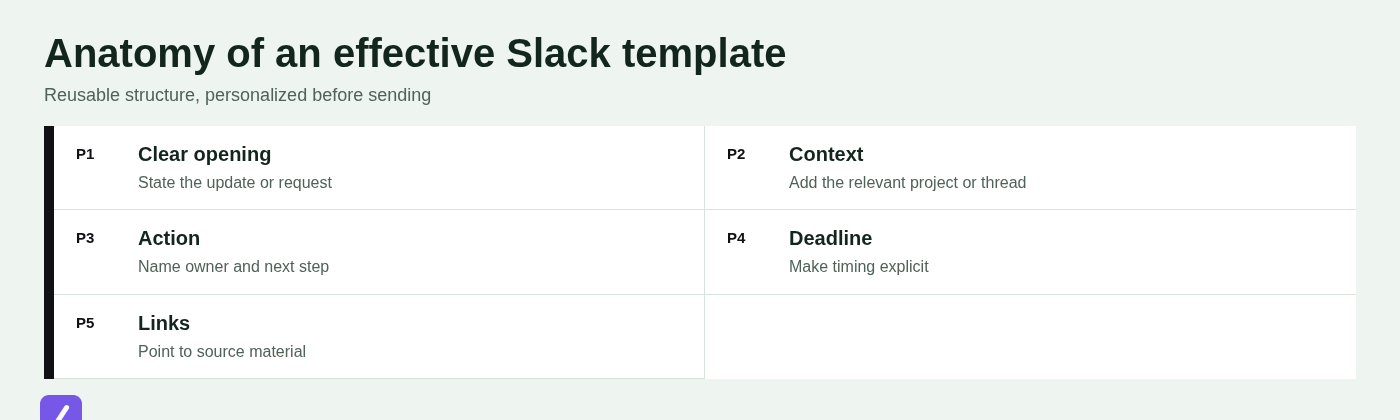
Slack messages are easier to act on when they behave like a concise operational note, not a miniature document. Lead with the decision, request, or status. Put context and supporting details below it.
Use short paragraphs and line breaks to separate ideas. Bullets work well for updates and requirements; numbered steps work well for a sequence someone must follow. Use selective bold for labels or deadlines, inline code for exact commands or values, and block quotes when you need to preserve a short piece of referenced text.
Formatting should clarify, not decorate. If every line is bold or full of emoji, nothing stands out. A good default is one clear opening line, two to five scannable details, and a final action or deadline.
Can you create a table in Slack messages?
No. Ordinary Slack messages do not support true native tables. You can imitate a simple table with an aligned code block, but that approach becomes difficult to read on mobile and breaks down quickly when the content is wide.
For a few values, use bullets with labeled fields. For richer documentation, use a Slack Canvas. If people need to sort, filter, compare many rows, or update shared data, link to a spreadsheet instead. Do not force a spreadsheet-shaped update into a chat message.
Copy and adapt these Slack message template examples
These free Slack message templates are designed for copy-and-adapt use. Replace the bracketed fields, remove any line that does not apply, and match the tone your team already uses.
Daily standup or morning update
Use this when your team expects a morning check-in or when your availability affects other people's work. If the important information emerges later, post an async update at that point instead of making a vague early-morning promise.
[Name] - [Date] update
Priorities: [Top 1-3 priorities]
Progress since yesterday: [Completed work]
Blockers: [Blocker or "None"]
Availability: [Hours, meetings, or response constraints]
Help needed: [Specific request or "None"]
Project update with a decision request
This template prevents a common project-update failure: describing a problem without asking for the decision needed to move forward.
[Project] update: [On track / At risk / Blocked]
We completed [completed work] and are now working on [current work].
Issue: [Concise description of the decision or risk].
Options:
1. [Option A - impact]
2. [Option B - impact]
Recommendation: [Recommended option].
Decision owner: [Name]. Please confirm by [date and time] so [next consequence or milestone].
Meeting follow-up and action items
Post this in the relevant channel or meeting thread while the discussion is still fresh. Give each action one accountable owner; "the team" is not an owner.
Recap: [Meeting name] - [Date]
Decisions:
- [Decision 1]
- [Decision 2]
Actions:
- [Action] - Owner: [Name] - Due: [Date]
- [Action] - Owner: [Name] - Due: [Date]
Source links: [Notes, recording, document, or ticket]
Open question: [Question, if applicable]
Support acknowledgement and handoff
Use an acknowledgement to confirm receipt and explain the next step without promising a resolution date you cannot meet.
Hi [Name], thanks for flagging this. We have received your report about [issue].
What we need: [Screenshot, account detail, order number, steps to reproduce, or "Nothing further right now"].
Next step: [Team or person] is reviewing this and will update you by [date/time or reasonable response window].
Reference: [Ticket or thread link, if relevant].
If this needs a handoff: [New owner] is taking the next step on [specific action].
Choose the right Slack destination before you paste
The same template can create confusion if it is posted in the wrong place. A group DM is usually best for small, private, temporary coordination. A channel is better for work that should remain discoverable, have a durable history, and be visible to the broader team.
You cannot simply turn a group DM into a channel. Create the channel instead, invite the needed people, and summarize or move forward with the relevant context. If the DM contains important decisions, post a concise recap in the new channel so the record is not trapped in a private conversation.
@channel notifies everyone in that channel, so reserve it for information that genuinely requires broad attention: a time-sensitive outage, a required decision, or a major change affecting the whole group. It is not a formatting tool for making a routine update seem urgent.
Group-DM capacity can vary with Slack plans and product changes. Check Slack's official documentation for the limit in your workspace rather than designing a process around an assumed maximum.
Keep a Slack template library accurate and easy to find
A personal library can be informal. A shared library needs ownership. Assign a maintainer for templates that represent the team, especially customer-facing replies, policy language, onboarding instructions, and escalation messages.
Use tags that reflect actual retrieval behavior, such as #support, #engineering, #manager, #onboarding, and #announcements. Set review dates for messages tied to pricing, policies, product behavior, or internal processes. Archive obsolete versions instead of allowing them to compete in search results.
For a shared collection, agree on which snippets are approved and who can revise them. For personal shortcuts, optimize for speed. Mixing those two purposes without labels is how teams end up sending outdated or unofficial copy.
Avoid the most common template mistakes
- Stale links: Check source documents and ticket links during scheduled reviews.
- Unresolved placeholders: Search for brackets before sending if your template uses them.
- Overly long messages: Put the decision or request first, then link to deeper detail.
- Duplicate versions: Keep one approved template per use case and archive replacements.
- Excessive mentions: Notify only the people who need to act or know immediately.
- Wrong audience: Use a private conversation when the matter is sensitive or not relevant to a whole channel.
Also be realistic about privacy. Workplace Slack DMs may be subject to employer retention, export, compliance, or administrative policies. Do not assume a work DM is private from your organization. The same caution applies to huddles: they are useful for quick conversation, but documented decisions should be summarized in the appropriate channel, and teams should understand their workspace's recording, retention, and access policies.
Use Slack templates to make routine communication faster, not less human
Slack is still widely used because it makes fast coordination possible, but speed becomes noise when every routine message is rewritten or posted without context. The answer is not a message generator that sends generic copy everywhere. It is a concise library of proven structures used with judgment.
Identify repeated messages, save the useful structure, find it quickly, personalize every variable, and keep the library current. Done well, templates make room for more thoughtful communication where it actually matters.
If you want a reusable text library for Slack and the other tools you use every day, start organizing your snippets in SnipFlux.